Hospitality Technology
What Is an AI Receptionist for Hotels, and How Does It Work?
An AI receptionist answers guests 24/7, checks real availability and sends booking links — here’s exactly how it works, step by step.
By 7CRM Team10 min read
Picture the front desk at 11 pm. The night staff member is helping a guest who has lost their key, the phone is ringing, and three WhatsApp messages have arrived from people planning a weekend trip. By the time anyone replies, two of those guests have booked elsewhere.
An AI receptionist exists to solve exactly this. It is software that answers your hotel’s guests instantly — on your website and on WhatsApp — using your hotel’s own information, and hands the conversation to your team when a person is needed. This guide explains what an AI receptionist does, how it works step by step, what it should never do, and how to tell a good one from a glorified FAQ bot.
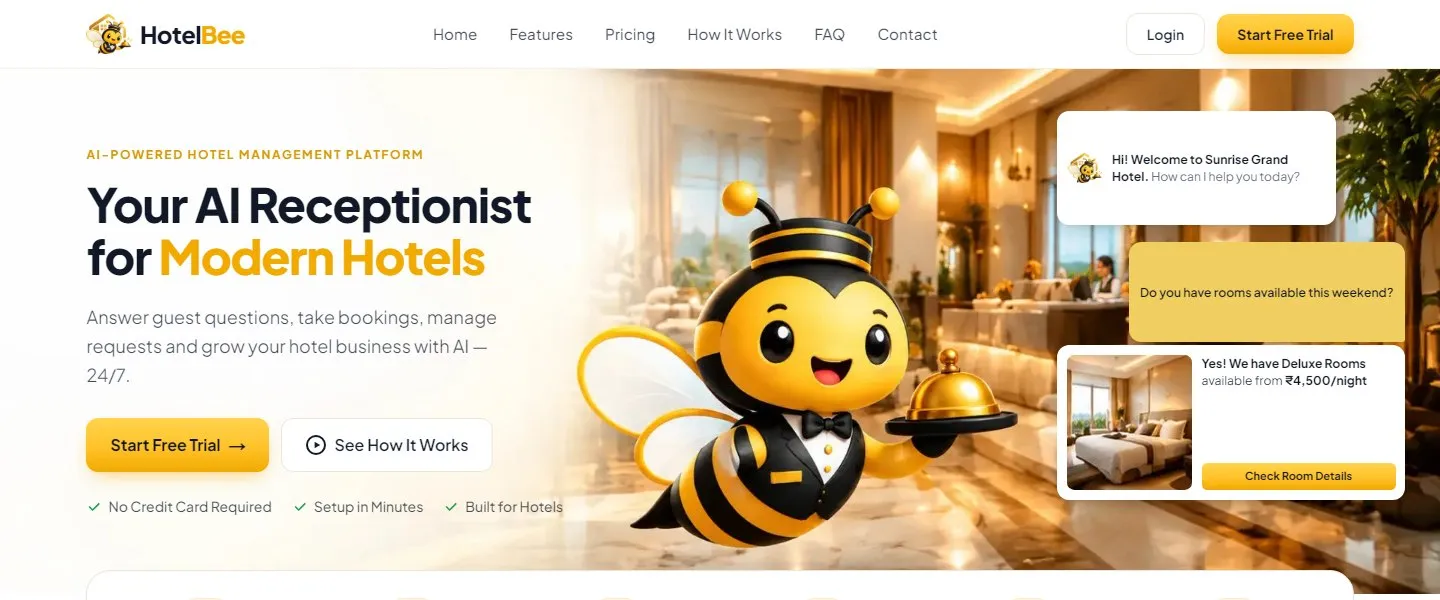
HotelBee, the AI receptionist from 7CRM, on its home page at hotelbee.7crm.in.
What an AI receptionist does
At its simplest, an AI receptionist does the parts of a receptionist’s job that happen in writing:
- 💬 Answers guest questions about rooms, rates, facilities, policies, food and the local area.
- 📅 Checks availability for the guest’s dates before offering a room.
- 🔗 Sends a booking link with the dates filled in, so the guest can book directly.
- 📝 Captures leads — name, phone, dates and what the guest is interested in — for your team to follow up.
- 🙋 Hands over to staff when the request is unusual, sensitive or simply needs a human touch.
- 🌙 Works 24/7, including the late evenings when many guests plan their trips.
What it doesn’t do is replace the welcome at the door. It takes the repetitive, written work off your team so they can spend more time on the guests who are actually in front of them.
How it works, step by step
The difference between a useful AI receptionist and a frustrating chatbot is what happens between the guest’s question and the answer. Here is the journey of a typical enquiry in HotelBee.
Step 1: The guest asks in their own words
A guest opens the chat on your website — or messages your WhatsApp Business number — and writes something like “Hi, do you have a room for 2 adults this weekend? Is breakfast included?” They don’t need to choose from menus or use special words.
Step 2: The AI understands the request
The AI works out what the guest wants: dates (this weekend), occupancy (two adults) and a second question (breakfast). It can reply in the languages you have enabled for your hotel.
Step 3: It checks your real data — not its imagination
This is the crucial step. Instead of making up an answer, the AI looks things up:
- Room availability comes from your live room calendar, where you can also block dates or mark rooms under maintenance.
- Rates come from the room types and base rates you entered.
- The breakfast answer comes from your policies, facilities and knowledge base.
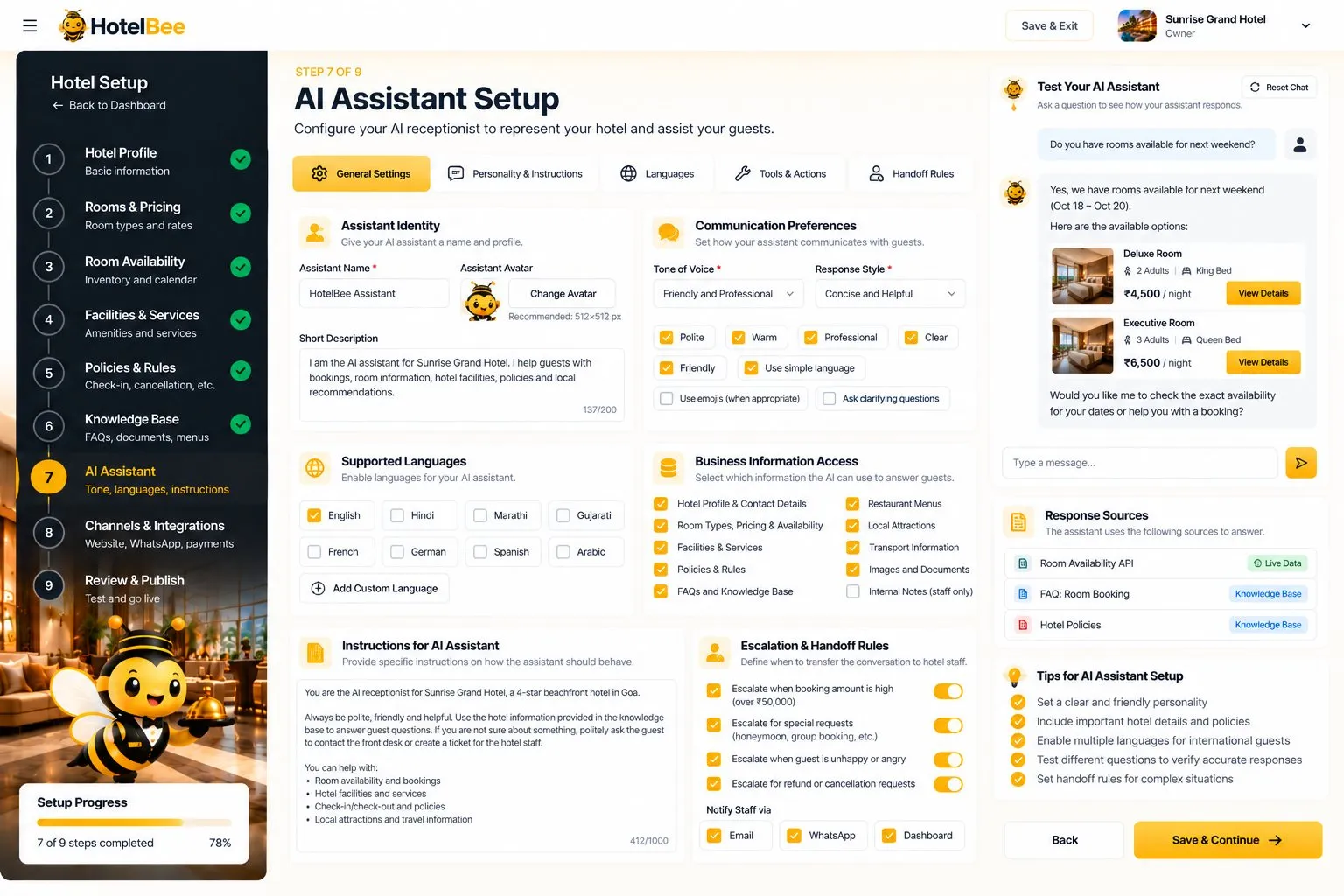
You decide the assistant’s name, tone, languages, which information it may use and when it must hand over to staff.
Step 4: It answers and offers the next step
The AI replies with the available room types for those dates, the price per night, the breakfast information — and a booking link with the dates already filled in. A good receptionist always offers the next step; so does a good AI receptionist.
Step 5: The guest books directly
The link opens your hotel’s booking page. The guest confirms dates, guests and room, sees the total, enters their name and phone, and chooses how to pay: UPI to your own UPI ID, online through your own Razorpay account, or pay at the hotel. No account is needed, and HotelBee takes no commission on the booking.
Step 6: Your team stays in control
Depending on the booking mode you choose, the booking is confirmed instantly or arrives as a request for your team to accept. Either way, the whole conversation, the lead and the reservation are visible in your workspace.
Why “grounded” answers matter
Generic AI models are fluent but have no idea what your hotel charges or whether you allow pets. Left alone, they will happily invent a confident answer — and a wrong price or policy can cost you a guest or a dispute at checkout.
That is why HotelBee answers only from the facts you enter in its nine-step setup wizard:
- 🏨 Hotel profile — name, type, address, contact, photos and description
- 🛏️ Rooms and pricing — room types, occupancy, beds, amenities, base rates and photos
- 📅 Room availability — inventory and a calendar
- 🏊 Facilities and services — with hours, free or paid
- 📋 Policies and rules — check-in and check-out, cancellation, ID, pets, children and payment
- 📚 Knowledge base — FAQs, menus with prices, nearby places with distance, notes and documents
- 🤖 AI assistant — name, tone, languages, allowed actions and handoff rules
- 🔌 Channels and integrations — website chat, WhatsApp, payment mode and booking mode
- ✅ Review and publish — a checklist and a test chat before going live
If the information isn’t there, the AI says so and hands over rather than guessing. We go deeper in how to train an AI receptionist on your hotel’s own information.
When the AI hands over to a person
An AI receptionist should know its limits. You set handoff rules — for example, for special requests, group bookings, unhappy guests or refund questions. When a rule triggers, the conversation is flagged for your team.
In the inbox, a staff member can read the full chat, pause the AI, reply as themselves, and hand the conversation back to the AI when they’re done. The guest simply experiences a helpful conversation that got the right answer from the right person.
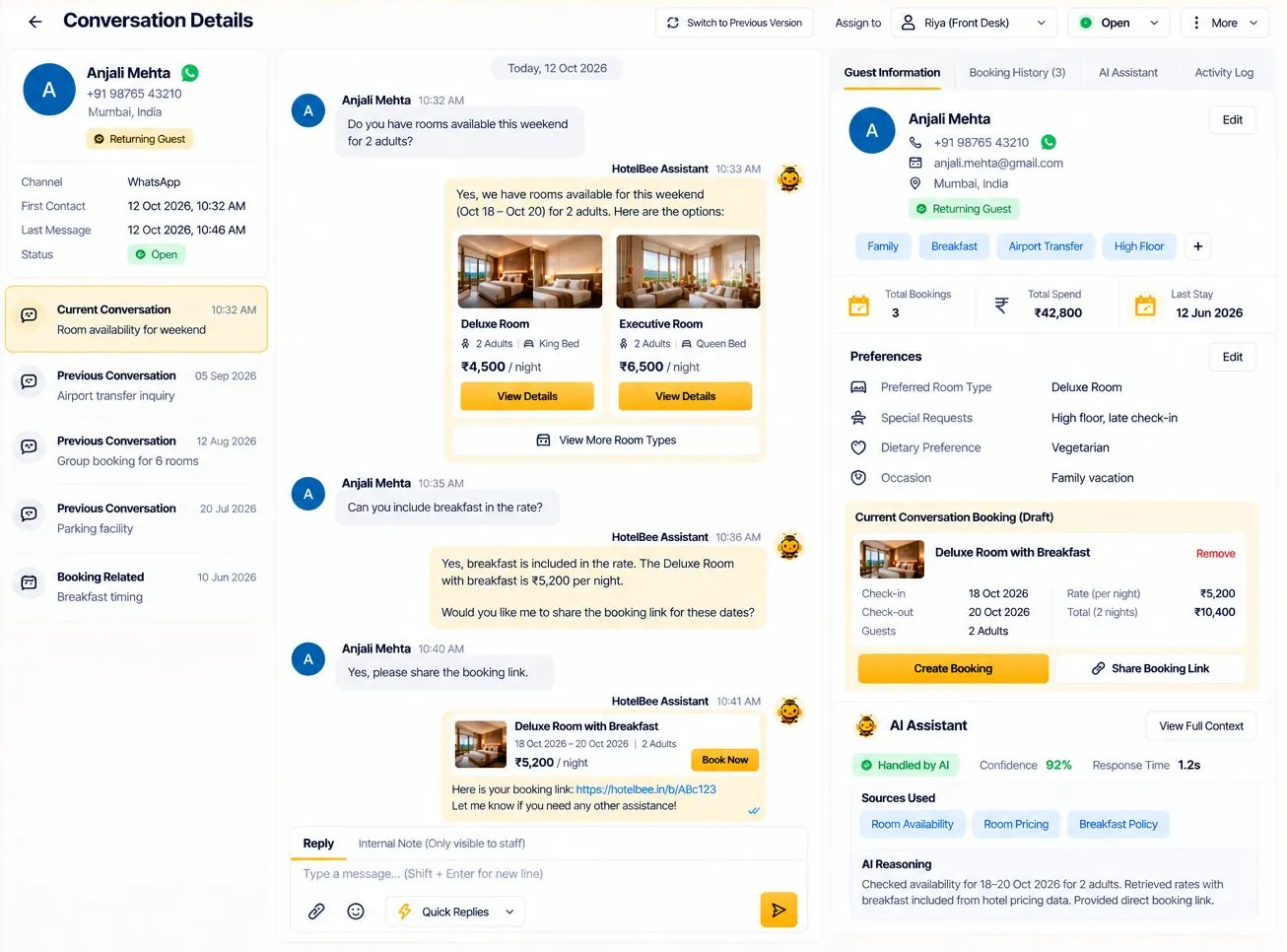
Staff see the whole conversation, the guest’s details and their booking history in one place.
AI receptionist vs. a traditional chatbot
| Traditional FAQ chatbot | AI receptionist | |
|---|---|---|
| Understands free-form questions | Limited | ✅ |
| Checks live availability | ❌ | ✅ |
| Quotes your real rates | ❌ | ✅ |
| Sends a booking link | Sometimes | ✅ |
| Works on WhatsApp | Rarely | ✅ (paid add-on in HotelBee) |
| Hands over to staff with full context | ❌ | ✅ |
Who benefits most
- Independent hotels that lose late-night enquiries and want more direct bookings.
- Homestays run by one or two people who can’t answer messages through the night.
- Resorts where the front desk is busy with arrivals and in-stay requests.
- Any property paying high booking-site commissions that wants guests to book directly.
Getting started
HotelBee gives every new hotel a 14-day free trial with all features — no card needed. Sign up with email or Google, work through the setup wizard, test the AI in a practice chat, and publish your hotel page and website chat.


