Hospitality Technology
WhatsApp Chatbot for Hotels: How to Answer Guests 24/7 on WhatsApp
Your guests already message you on WhatsApp. Here’s how an AI receptionist on your own WhatsApp number answers them instantly — day and night.
By 7CRM Team10 min read
In India, a guest’s first message to a hotel is far more likely to be on WhatsApp than through an email form. It’s quick, it’s on their phone, and it feels personal. But for a hotel, WhatsApp has a downside: it never stops. Messages arrive at midnight, during the breakfast rush, on the owner’s day off — and every slow reply is a guest who might book somewhere else.
A WhatsApp chatbot for hotels answers those messages instantly, on your hotel’s own WhatsApp Business number, using your hotel’s own information. This guide explains what a hotel WhatsApp chatbot can do, how it works, what it shouldn’t do, and how to set one up with HotelBee.
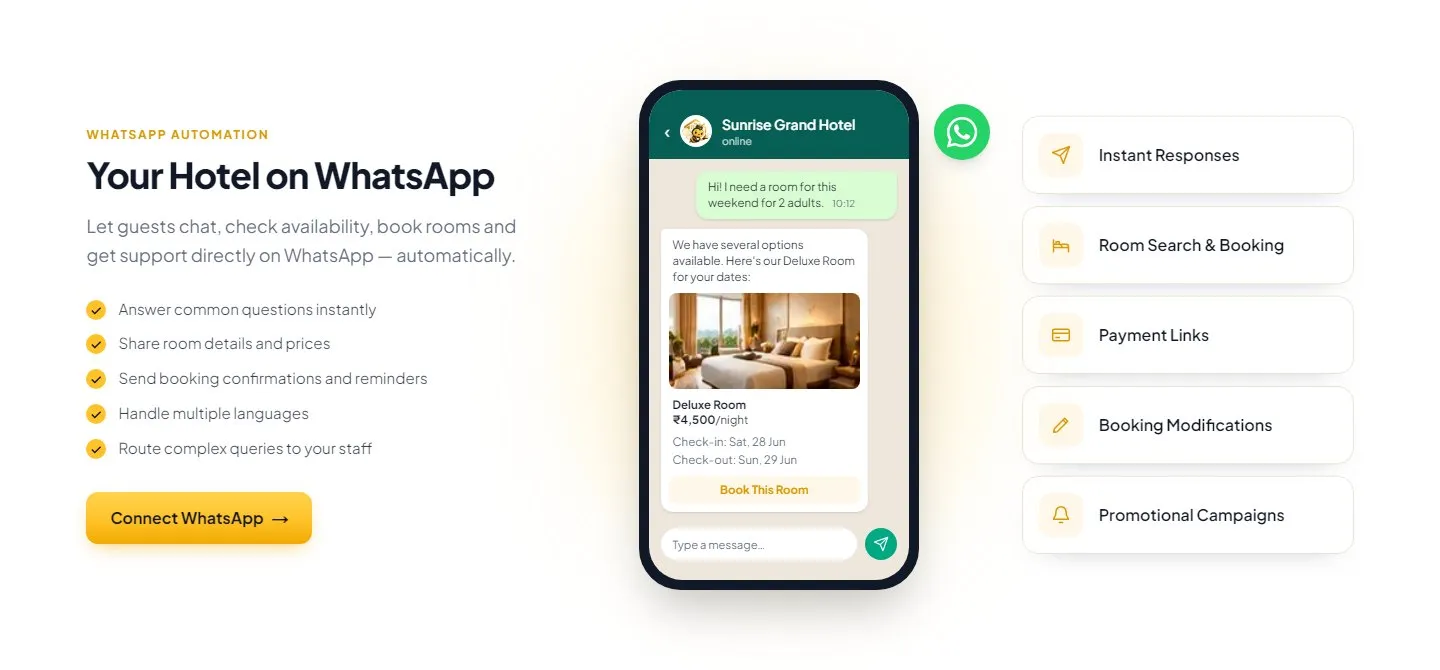
HotelBee answers a room enquiry on WhatsApp with real room details and a booking button.
Why WhatsApp matters for hotels
- 📱 It’s where guests already are. No app to download, no form to fill.
- ⚡ Guests expect speed. A WhatsApp message feels like a conversation; waiting hours for a reply feels like being ignored.
- 🗂️ It keeps a record. Dates, prices and directions stay in the chat for the guest to scroll back to.
- 🔁 It’s ideal for follow-ups. Confirmations, reminders and thank-you messages are read far more often than emails.
The challenge is staffing it. A personal phone at the front desk doesn’t scale, isn’t shared with the team, and goes quiet whenever the person holding it is busy.
What a hotel WhatsApp chatbot should do
A good WhatsApp chatbot for a hotel behaves like a well-trained receptionist:
- Answer common questions instantly — check-in times, breakfast, parking, Wi-Fi, pets, distance to the station or beach.
- Check availability before offering a room — using your real room calendar, not a guess.
- Share real room details and prices — the rates you configured, for the dates the guest asked about.
- Send a booking link — so the guest can book directly on your hotel’s booking page.
- Reply in the guest’s language — for the languages you enable.
- Route anything complex to your staff — special requests, groups, complaints.
HotelBee’s WhatsApp receptionist does all six. It is the same AI receptionist that answers on your website chat, extended to WhatsApp as a paid add-on.
How it works, step by step
Step 1: Your WhatsApp Business number is connected
HotelBee runs on your hotel’s own WhatsApp Business account — not a shared number. You request WhatsApp from the Channels step in the setup wizard, and the HotelBee team connects it on your own Meta account, so you keep full ownership of the number and the conversations.
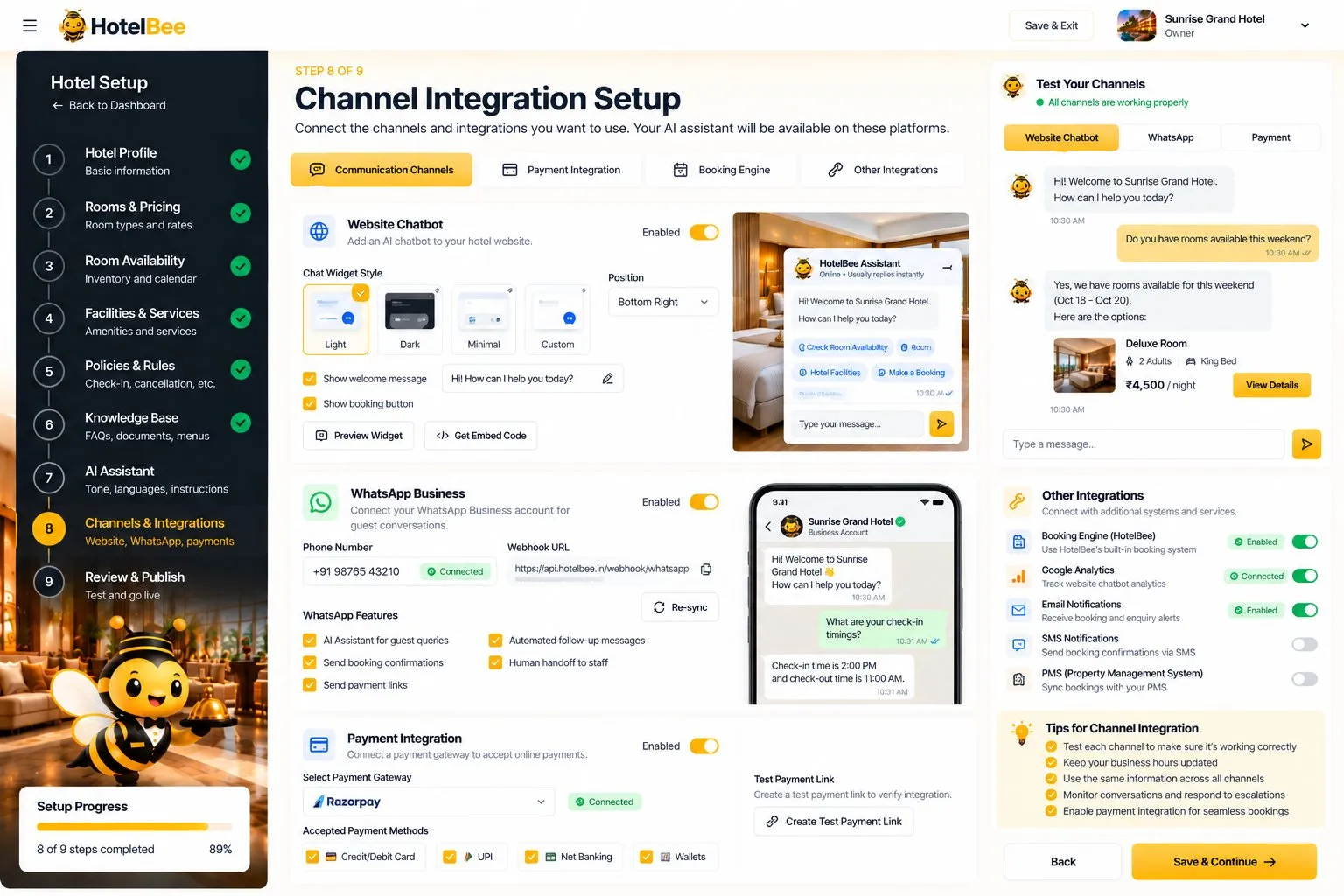
The Channels step: website chat widget, WhatsApp Business and payments in one place.
Step 2: The AI learns your hotel
Before going live, you enter your hotel’s facts in the setup wizard — rooms and rates, availability, facilities, policies and a knowledge base of FAQs, menus and nearby places. The AI answers only from these facts, which is how it avoids making up prices or policies.
Step 3: A guest messages your number
“Hi, I need a room this weekend for 2 adults.” The AI understands the dates and occupancy, checks the live availability for those dates, and replies with the available room types, prices and a booking link.
Step 4: The guest books — or asks for a person
Most guests continue to the booking page, pick a room and choose how to pay: UPI to your UPI ID, online through your own Razorpay account, or at the hotel. If a guest asks for something unusual, your handoff rules pass the chat to your team.
Step 5: Your team sees everything in one inbox
WhatsApp chats arrive in the same inbox as website chats, with unread counts and live refresh. A staff member can open any conversation, pause the AI, reply personally, and hand back to the AI when finished. The WhatsApp page also shows the message log and delivery status.
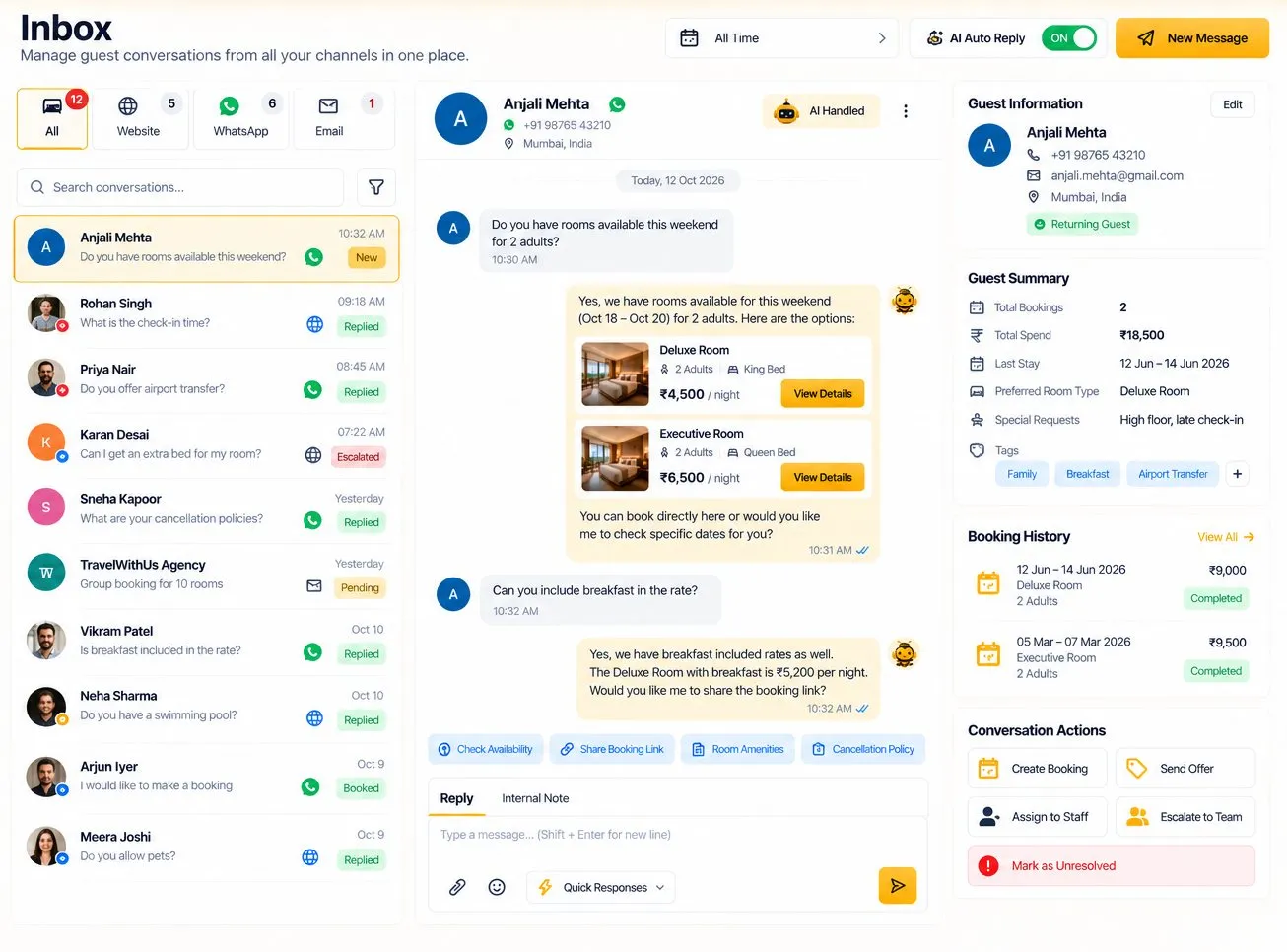
WhatsApp and website conversations side by side, each marked by channel.
Beyond replies: automatic WhatsApp messages
Answering questions is half the value. The other half is the messages you should be sending anyway but rarely have time for. HotelBee’s WhatsApp automations send them at the right moment:
- ✅ Booking received — reassurance the moment a guest books
- 🎉 Booking confirmed — with dates and details
- 🧳 Pre-arrival — check-in time, directions, what to bring
- 💳 Payment reminder — for unpaid or part-paid bookings
- 🙏 Post-stay — a thank-you after checkout
You can also add your own. Each uses a Meta-approved template synced from your WhatsApp account. There’s a full guide in 5 automatic WhatsApp messages every hotel should send.
What a WhatsApp chatbot should not do
- ❌ Invent prices or availability. Every rate and room offer should come from your live data.
- ❌ Trap guests in a loop. There must always be a way to reach a person.
- ❌ Use a number you don’t own. If the number belongs to a vendor, so do your guest conversations.
- ❌ Spam guests. Automatic messages should be useful and tied to a booking, not bulk promotions.
Tips for a great WhatsApp experience
- Keep your knowledge base current. Seasonal menus, new facilities and changed policies should be updated as soon as they change.
- Set clear handoff rules. Decide which situations always go to a person — large groups, special occasions, complaints.
- Check the inbox at fixed times. A morning and evening review of leads and handed-over chats keeps nothing waiting.
- Use the same facts everywhere. Because the website chat and WhatsApp share one knowledge base, guests get the same answer on both.
Getting started
WhatsApp is the paid add-on to HotelBee’s website chat, and the 14-day free trial includes all features. Start with your website chat, then add WhatsApp once your knowledge base is answering guests well.
Learn more about HotelBee’s WhatsApp features on 7CRM.


