WhatsAppBee · Contacts & Segments
WhatsApp Contact Management with Tags and Segments
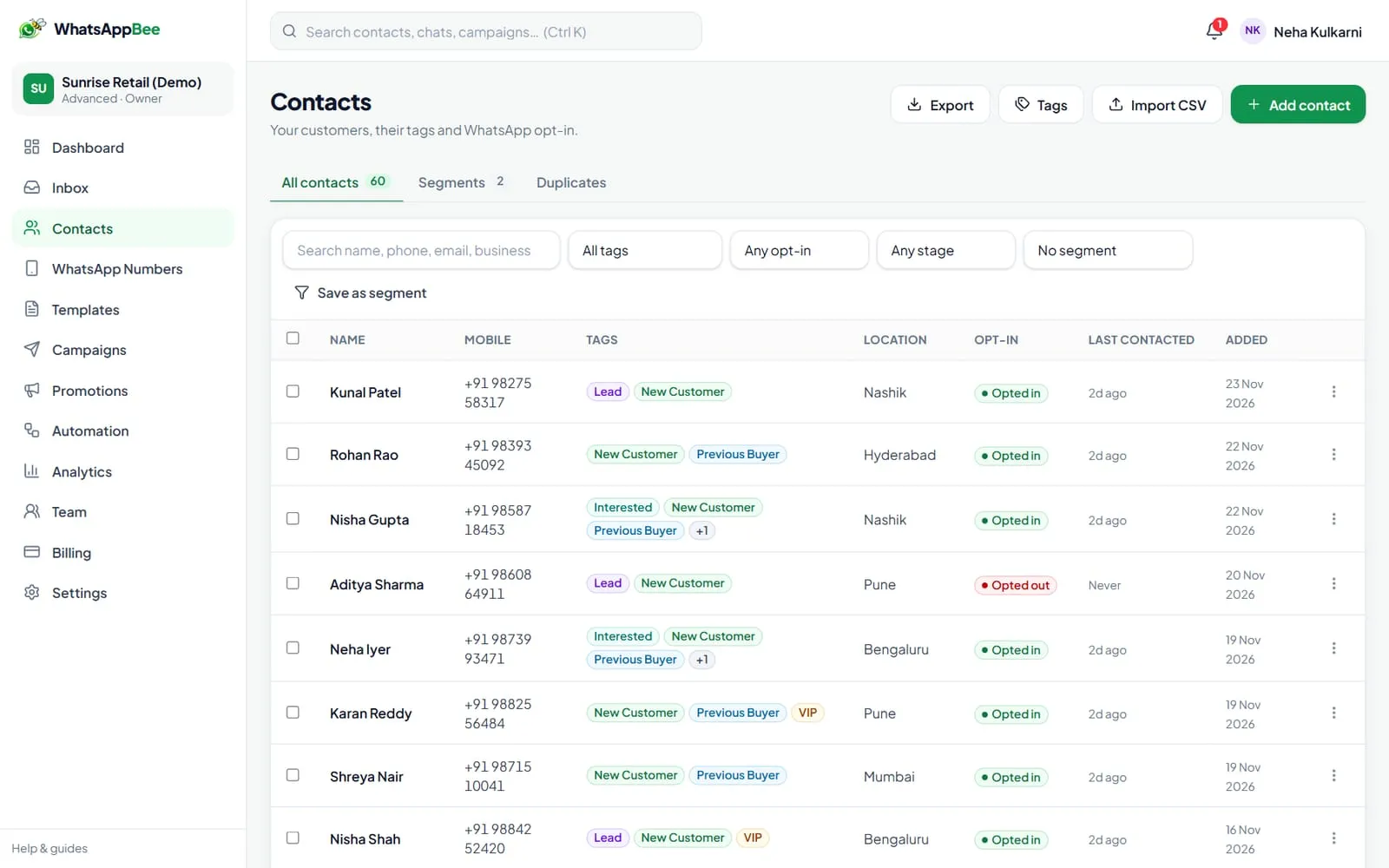
A good campaign starts with a clean contact list. WhatsAppBee keeps every customer in one place — added by hand or imported from CSV, with duplicates merged automatically.
Tag customers (Lead, VIP, Previous Buyer), add custom fields, record WhatsApp opt-in and save segments such as “opted-in buyers in Pune” for your next campaign. Export any time.
Capabilities
Contacts & Segments in WhatsAppBee
CSV import & export
Bring your list in, take it out any time.
Duplicates merged
One record per customer.
Tags & custom fields
Organise customers your way.
Opt-in status
Know who agreed to receive promotions.
Segments
Save filters as audiences for campaigns.
Contact history
See each customer’s conversations.
How it works
Step by step
- 1
Import
From a CSV file, or add contacts by hand.
- 2
Organise
Tags, custom fields and opt-in.
- 3
Segment
Save the groups you message often.
- 4
Reach them
Send campaigns to a tag or segment.
Benefits
Why it matters
One clean list
No more scattered phone contacts.
Targeted messages
The right offer to the right group.
Compliant
Opt-in recorded for every contact.
Yours to keep
Export your contacts whenever you like.
FAQ
Frequently Asked Questions
Can I import my existing customers?
Yes, from a CSV file. Duplicates are merged.
Why does opt-in matter?
WhatsApp allows promotional messages only to customers who have opted in, and WhatsAppBee sends promotions only to them.
WhatsAppBee
More WhatsAppBee features
Bring every WhatsApp chat into one place
Start the free trial — connect your number and send your first campaign.