WhatsAppBee · Shared Team Inbox
Shared WhatsApp Inbox for Your Whole Team
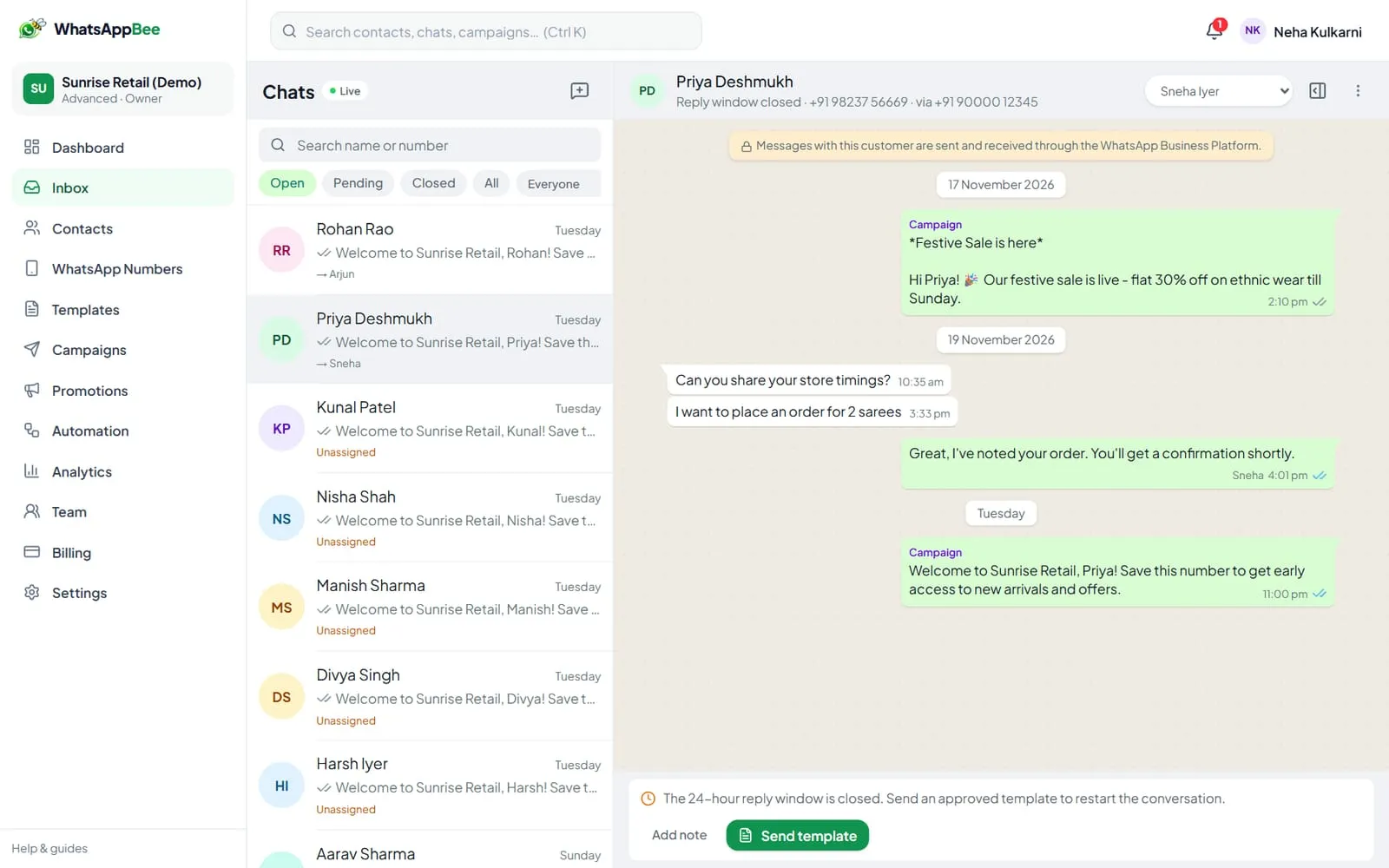
When customer chats live on one person’s phone, messages get missed and nobody knows who replied. WhatsAppBee puts every chat on your business WhatsApp numbers into one shared inbox that works like WhatsApp Web — for the whole team, in the browser.
New messages appear live without refreshing. Assign a chat to a teammate, mark it open, pending or closed, tag it, and leave internal notes that only your team can see.
Capabilities
Shared Team Inbox in WhatsAppBee
Live inbox
New chats and replies appear instantly — no page refresh.
Rich replies
Text, emoji, photos, videos, documents, location and approved templates.
Assign & track
Assign chats to teammates and mark them open, pending or closed.
Internal notes & tags
Notes only your team sees, and tags to organise conversations.
Ticks and forwarding
Reply to and forward messages, with delivery and read ticks.
24-hour rule built in
Free replies inside 24 hours; an approved template restarts the chat after that.
How it works
Step by step
- 1
Connect your number
Through Meta’s official WhatsApp Business Platform.
- 2
Invite your team
Owner, admins, managers and agents.
- 3
Chats arrive live
Every message lands in the shared inbox.
- 4
Reply as a team
Assign, note, tag and close — nothing slips.
Benefits
Why it matters
No missed messages
Chats no longer sit unread on one phone.
Clear ownership
Everyone can see who is handling which chat.
Faster replies
The whole team answers from one place.
Works in a browser
No app to install for your team.
FAQ
Frequently Asked Questions
Can several team members use one WhatsApp number?
Yes. Everyone on your team works from the same shared inbox in the browser, and each chat can be assigned to a person.
Can agents see only their own chats?
Yes. Agents can be limited to the chats assigned to them.
What happens after 24 hours?
You can reply freely within 24 hours of the customer’s last message. After that, WhatsApp requires an approved template to restart the conversation, and the inbox shows you when that applies.
WhatsAppBee
More WhatsAppBee features
Bring every WhatsApp chat into one place
Start the free trial — connect your number and send your first campaign.