WhatsAppBee · Automation
WhatsApp Automation: Keyword Replies and Workflows
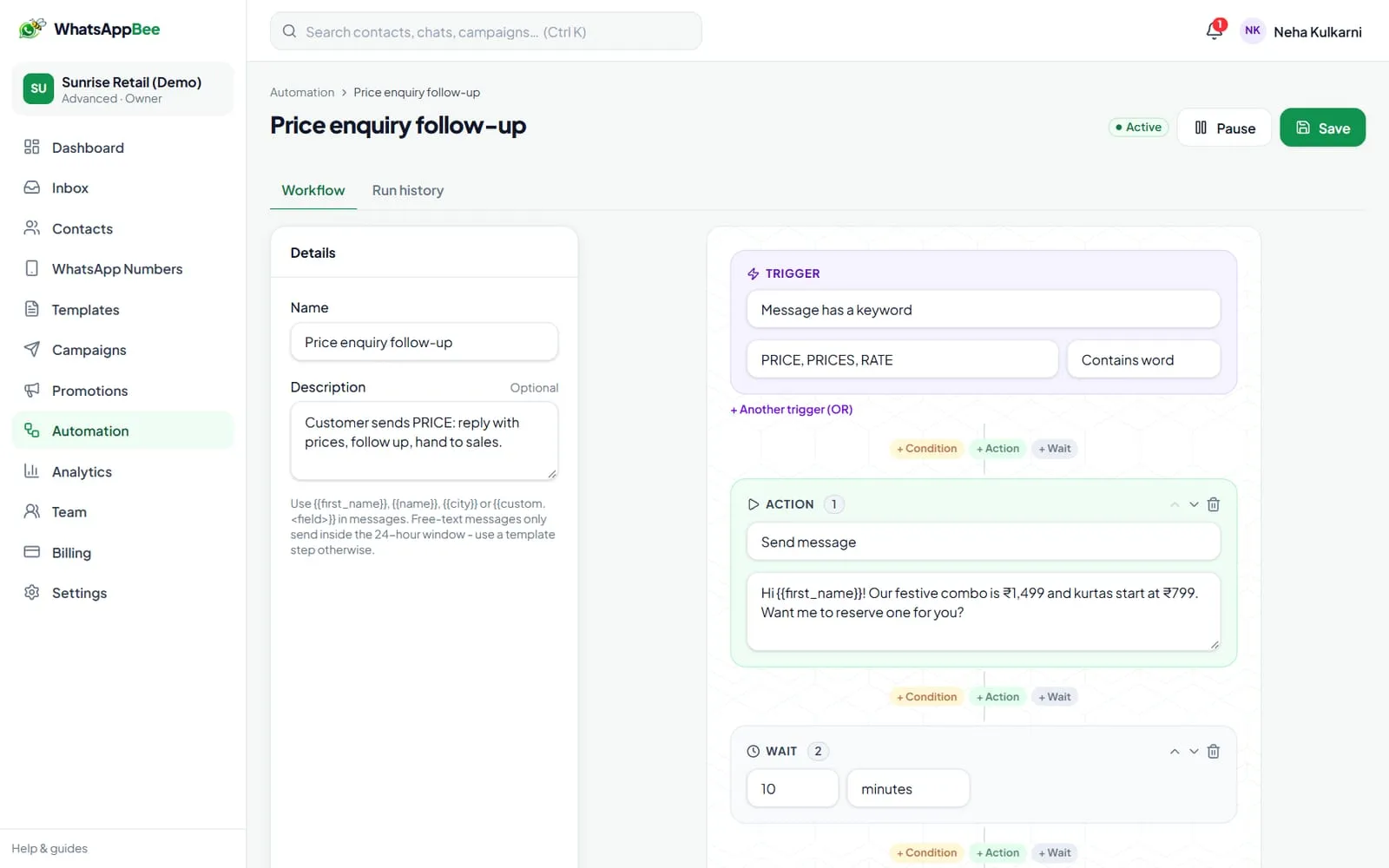
Many WhatsApp questions are the same every day: price, timings, location. WhatsAppBee answers them automatically — when a customer sends a keyword such as PRICE, the right reply goes out at once.
Go further with multi-step workflows: send a message or template, wait, check a condition such as business hours or a tag, add tags and assign the chat to the right teammate. Business events from your own system, such as an order created or a payment received, can trigger automations through the API too.
Capabilities
Automation in WhatsAppBee
Keyword triggers
Words such as PRICE, RATE or TIMINGS start a reply.
Multi-step workflows
Messages, waits, conditions and actions in order.
Auto-assignment
Hand the chat to the right team member.
Personalised
Use the customer’s name and fields in messages.
Pause any time
Turn an automation on or off in one click.
Run history
See when each automation ran.
How it works
Step by step
- 1
Pick a trigger
A keyword, a new contact or a business event.
- 2
Add steps
Messages, waits, conditions and assignments.
- 3
Turn it on
It runs on every matching chat.
- 4
Review
Check the run history and refine.
Benefits
Why it matters
Instant answers
Common questions answered in seconds.
Less typing
Your team stops repeating the same replies.
Right person, first time
Chats are routed automatically.
Rules you control
Clear triggers and steps — no surprises.
FAQ
Frequently Asked Questions
Is this an AI chatbot?
No. WhatsAppBee automations follow the keywords and steps you set. AI chatbot replies are not available yet.
Can automations send messages after 24 hours?
Free-text messages only go inside the 24-hour window; after that, a workflow step must use an approved template.
WhatsAppBee
More WhatsAppBee features
Bring every WhatsApp chat into one place
Start the free trial — connect your number and send your first campaign.