Photography Business
Wedding Photo Delivery Timeline: How Long Should Clients Wait (and How to Deliver Faster)
“When will we get our photos?” is the question every wedding photographer hears. Here’s a realistic delivery timeline to promise, and the steps that make it faster.
By 7CRM Team8 min read
The wedding is over, the couple is on their honeymoon, and the messages start: “Any update on the photos?” A week later, the parents ask too. Slow — or simply unclear — delivery is one of the most common reasons wedding photographers get a lukewarm review despite great photos.
The fix is two things: a realistic timeline promised at booking, and a delivery process without bottlenecks.
A realistic wedding delivery timeline
These are typical ranges for an Indian wedding with several functions. Your own will depend on team size, season and the package.
| Stage | Typical time after the wedding | What the client gets |
|---|---|---|
| Sneak peek | 2–7 days | 10–20 edited favourites for social media |
| Culling & basic edit | 2–4 weeks | The full set of colour-corrected photos |
| Gallery shared for selection | 3–5 weeks | A private online gallery to pick album photos |
| Client selection | 1–2 weeks (if you set a deadline) | Their album shortlist |
| Album design & approval | 2–4 weeks after selection | Album layout to approve |
| Album printing & delivery | 2–3 weeks after approval | The printed album |
| Final files | Alongside or after the album | Download link for all edited photos and films |
End to end, many studios deliver the full set in about one to three months, with the album last. Peak wedding season stretches every stage, so build in buffer.
Put your timeline in your booking terms so the couple knows what to expect before they pay the advance.
Where delivery actually gets stuck
Editing is rarely the biggest delay. These are:
- Photo selection over WhatsApp. The couple forwards screenshots, the parents add more, nobody agrees, and the list never arrives.
- No selection deadline. Without a date, selection can drag on for months.
- Lost track of status. Five weddings in editing, two waiting for selection, one album at the printer — and nobody knows which.
- Waiting for the balance. Final delivery is held for payment, but nobody sent a reminder.
- Sharing big files. Drive links expire, folders get messy, the client can’t find the final folder.
How to deliver faster
1. Share a sneak peek within a week
A handful of edited favourites calms nervous clients and buys you time for the full edit.
2. Use online photo selection with a limit
Share a private gallery where the couple taps to select album photos and sees “Selected: 64 / 80” as they go. When they submit, you get one clean list — and can copy the file names straight into Lightroom.
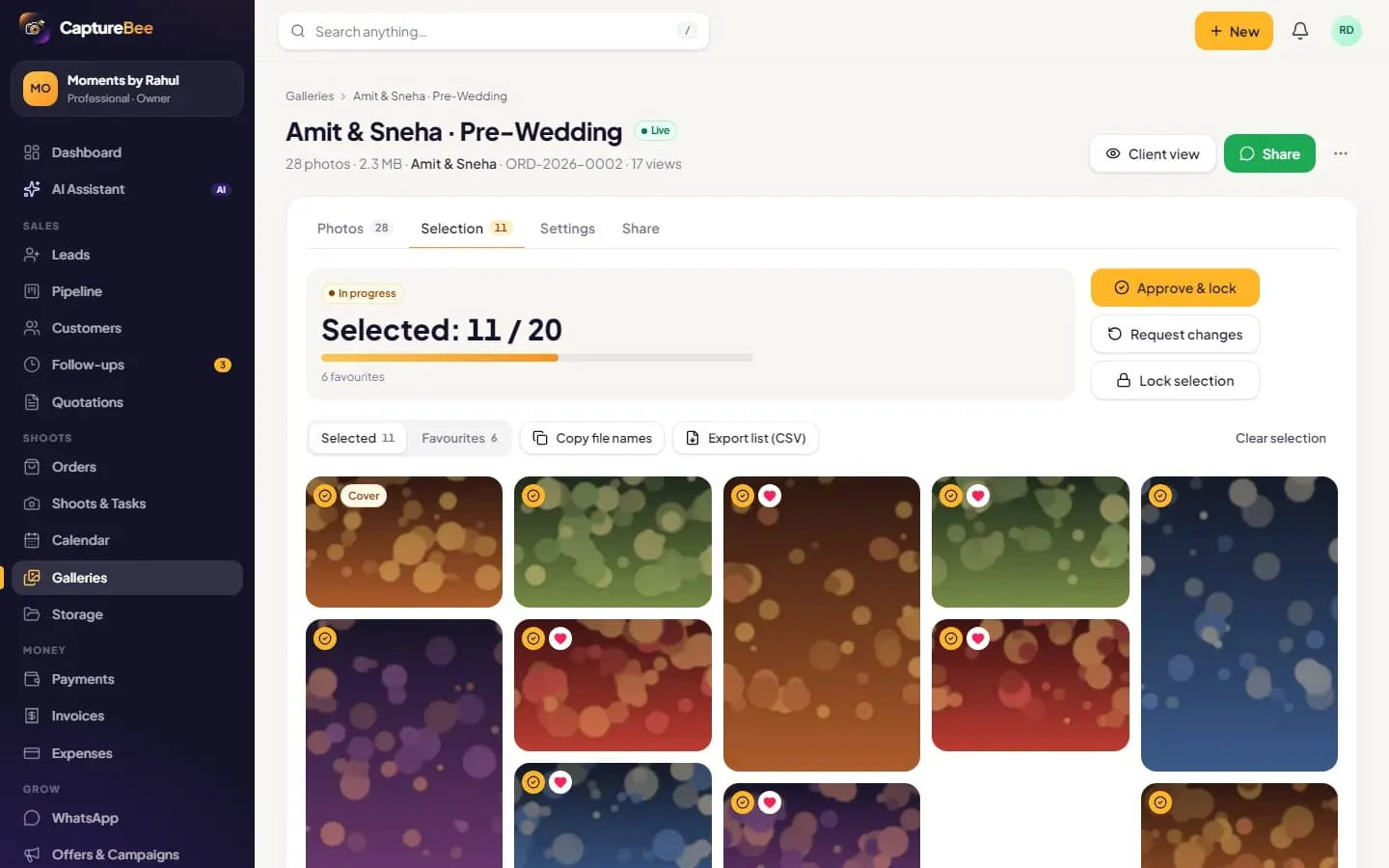
In CaptureBee, you set the selection limit, then approve and lock the selection or request changes. An automation reminds you if the client hasn’t submitted within five days.
3. Track every wedding on one board
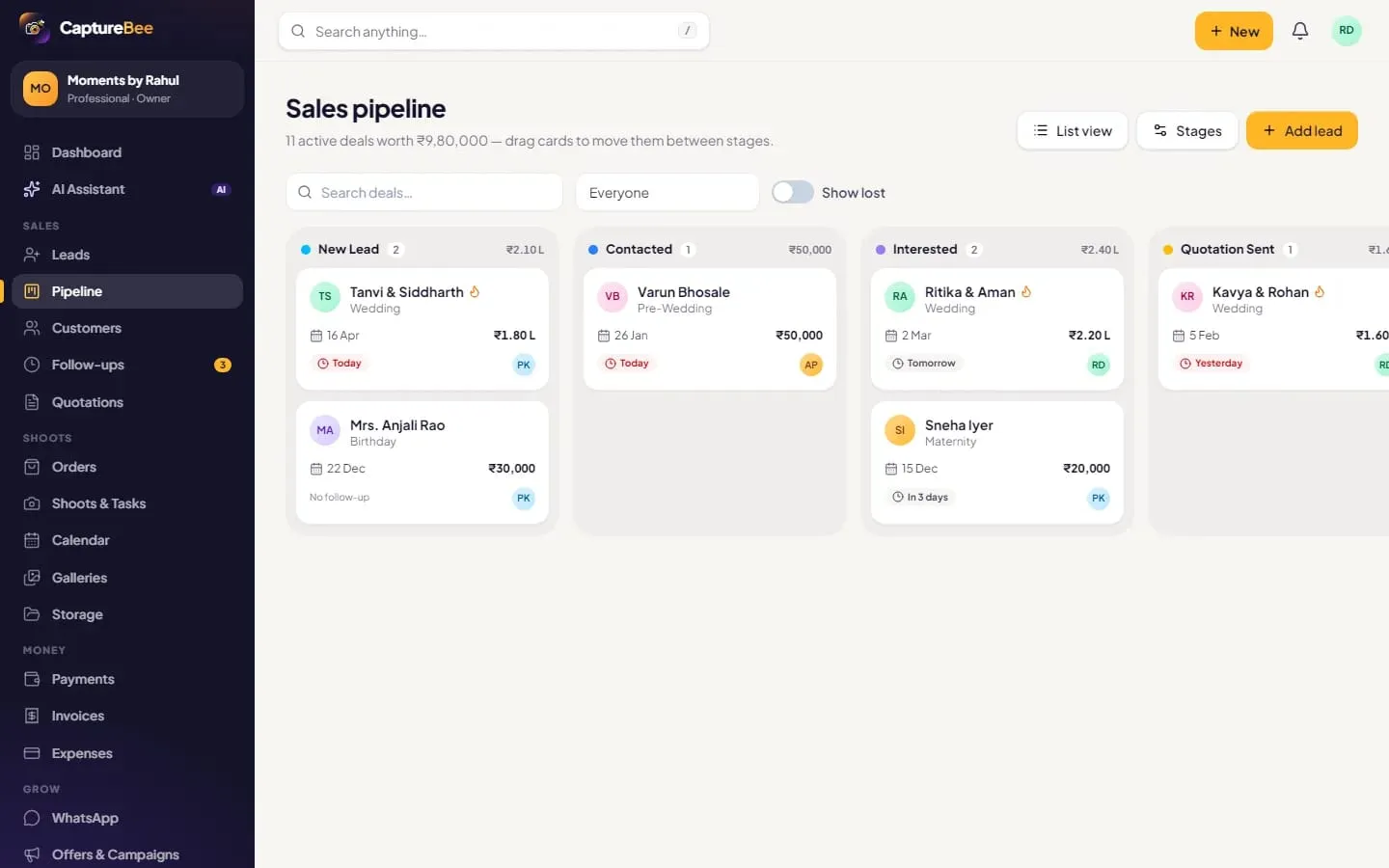
A pipeline with stages such as Shoot completed → Editing → Gallery ready → Delivered shows exactly where each wedding stands. In CaptureBee the order moves forward automatically as you upload photos, share the gallery and deliver files.
4. Remind about the balance before delivery
Send a polite reminder a couple of days before the balance is due, with your UPI QR code. Clients can report the payment with its UTR, and you confirm it in one tap — see payments and invoices.
5. Deliver final files with one link
One final-delivery link with all photos and films — downloadable individually or as a zip — is easier for clients than a maze of Drive folders. CaptureBee’s storage and delivery files everything by customer, order and function, and shows when the link was opened.
Communicate at every stage
Most “any update?” messages disappear when clients hear from you first. Send a short message at each milestone:
- “Your sneak peek is ready!”
- “Your gallery is ready — please select your album photos by ______.”
- “Album design is ready for your approval.”
- “Your final photos are ready to download.”
Ready WhatsApp templates with the client’s name and links filled in make this a one-tap job — see WhatsApp templates and automations.
For more on speeding up post-production, read photo studio workflow management for faster delivery and how to deliver a baby photo gallery faster.
Frequently asked questions
How long does it take to get wedding photos in India?
It varies by studio and season. Many deliver a sneak peek within a week, the edited gallery within a few weeks and the album one to three months after the wedding, depending on how quickly the couple completes the photo selection.
Why does the wedding album take the longest?
It waits on the couple’s photo selection and design approval, then printing. A selection deadline and online selection shorten it the most.
Should final photos be released before the balance is paid?
That’s your policy to set — write it in your booking terms and remind clients before the balance date so delivery isn’t held up.
Deliver faster with CaptureBee
CaptureBee brings online photo selection, a pipeline that follows each wedding to delivery, payment reminders and one final-delivery link into a single app. Start the 14-day free trial or read how clients pick album photos without the chaos.