CaptureBee · Payments & Invoices
Payments, Receipts and GST Invoices for Photographers
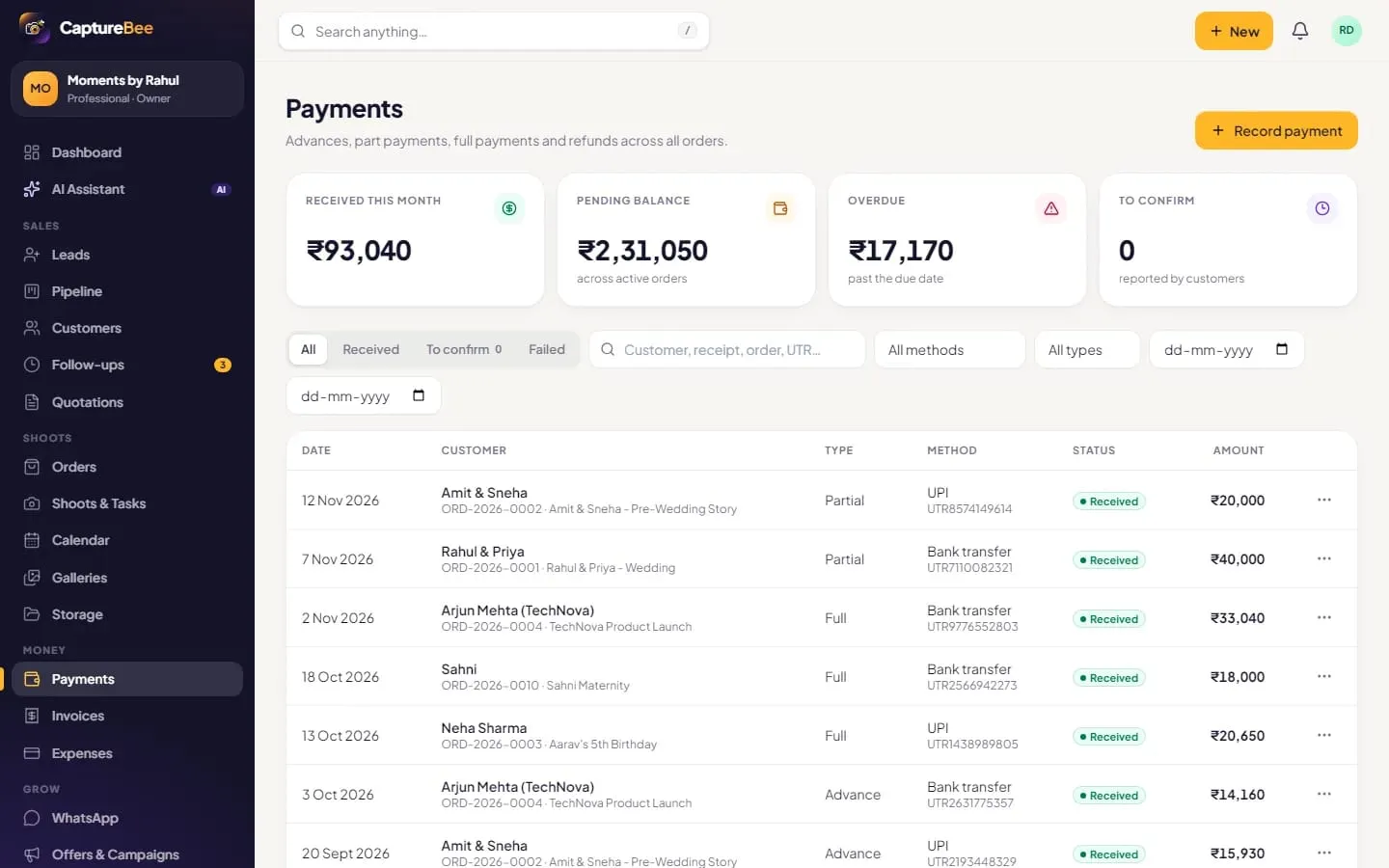
Record every payment against the right order — advance, partial, full or refund, by UPI, bank transfer, cash, card or cheque — and CaptureBee updates the balance at once.
Quotations and invoices show your UPI QR code and bank details. Clients tap “I’ve paid” with the amount and UTR, and you confirm in one tap; each confirmed payment gets a receipt link to send on WhatsApp.
Capabilities
Payments & Invoices in CaptureBee
Every payment type
Advance, partial, full and refunds, with reference or UTR.
UPI QR on documents
Clients scan and pay you directly.
“I’ve paid” reports
Clients report payments for you to confirm.
Receipts
A receipt link for every confirmed payment.
GST invoices
Your legal name, GSTIN, items, GST and due date.
Expenses
Equipment, travel, freelancers, albums — linked to orders.
How it works
Step by step
- 1
Client pays
By UPI or bank transfer from your details.
- 2
Confirm
One tap records it against the order.
- 3
Send receipt
On WhatsApp in one tap.
- 4
Invoice
Generate a GST-ready invoice from the order.
Benefits
Why it matters
Know who owes you
Pending and overdue balances at a glance.
No SMS matching
Clients report payments with their UTR.
Professional paperwork
Receipts and invoices clients open on their phone.
Real profit
Revenue minus expenses, every month.
FAQ
Frequently Asked Questions
Does CaptureBee collect payments from my clients?
No — clients pay you directly by UPI or bank transfer and report it for you to confirm. An online payment gateway for clients is coming soon.
Can my accountant use it?
Yes. The Accountant role sees payments, invoices, expenses and reports without galleries or settings.
Run your photography business from one app
Start the 14-day free trial — add your packages and send your first quotation today.