CaptureBee · Shoots & Calendar
Shoot Planning, Crew Scheduling and Calendar
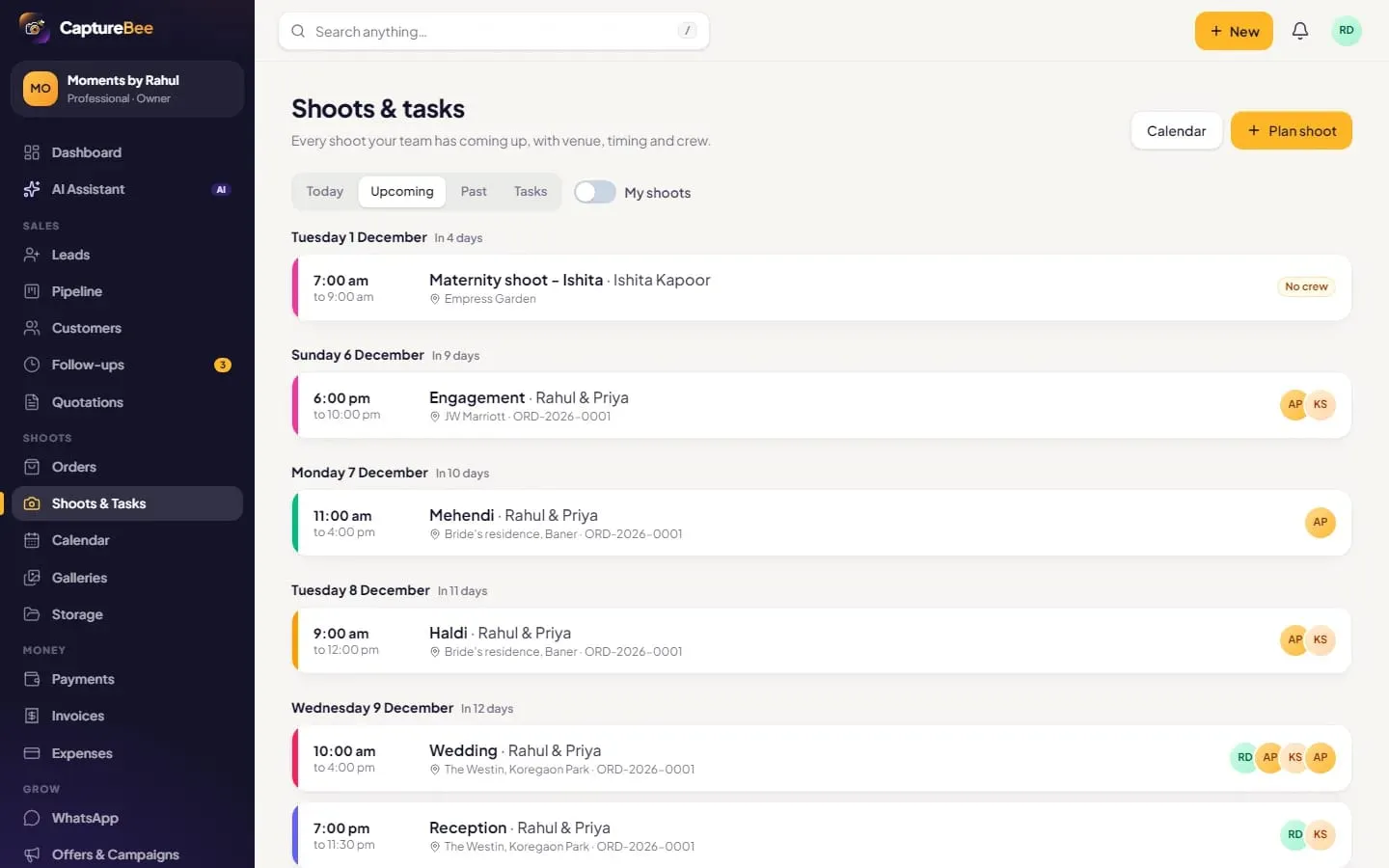
An Indian wedding is not one shoot — it’s an engagement, mehendi, haldi, wedding and reception, often in different places. In CaptureBee each order holds as many shoots as you need, each with its date, time, venue, map link, gear list and notes.
Assign crew with a role — lead photographer, second photographer, videographer, drone operator — and CaptureBee warns you before you double-book someone. The calendar shows shoots, follow-ups, payment due dates, gallery expiry and tasks together.
Capabilities
Shoots & Calendar in CaptureBee
Multi-function orders
Engagement, mehendi, haldi, wedding, reception — each its own shoot.
Crew roles
Lead, second shooter, videographer, drone, editor, assistant.
Double-booking warning
Know before you assign someone twice.
Gear and notes
What to carry and what to remember for each function.
Tasks
Edits, passes and album design with owners and due dates.
One calendar
Month, week, day or agenda — or “Only mine”.
How it works
Step by step
- 1
Add functions
To the order, with time and venue.
- 2
Assign crew
With roles and a double-booking check.
- 3
Plan tasks
Edits, album and delivery work.
- 4
Shoot day
The team is reminded the day before.
Benefits
Why it matters
No clashes
Double-booking warnings before you commit.
Prepared crew
Everyone sees their own shoots and gear.
Check dates fast
See availability before promising a date.
Nothing forgotten
Dues and gallery expiry on the same calendar.
FAQ
Frequently Asked Questions
Can freelancers use it?
Yes. Invite them as photographers or videographers; they see only the shoots they’re crew on.
Is the crew reminded?
Yes. The default automation notifies the team one day before each shoot.
Run your photography business from one app
Start the 14-day free trial — add your packages and send your first quotation today.