CaptureBee · Team & Roles
Team Roles and Permissions for Photography Studios
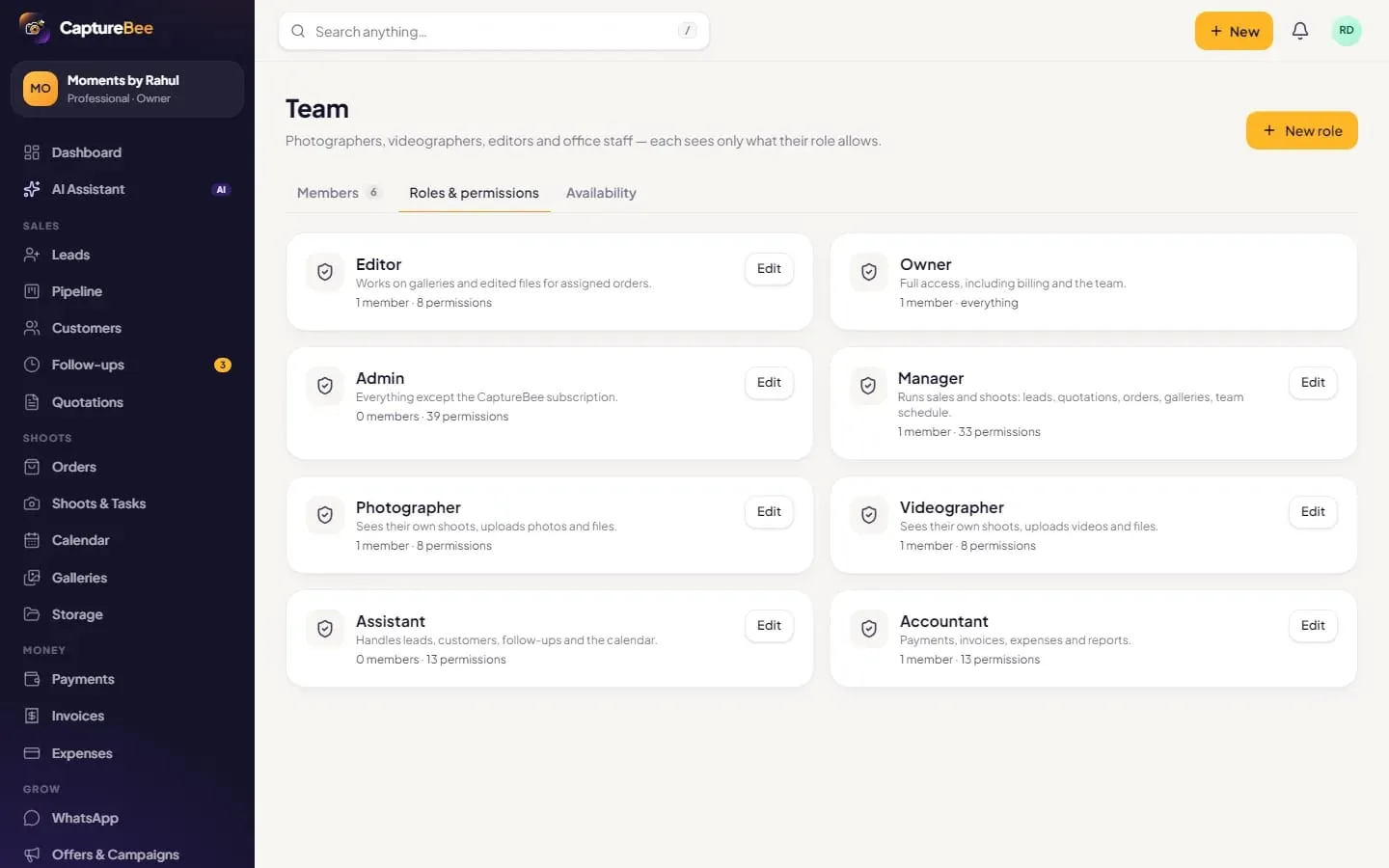
Photographers should see their shoots, editors their galleries and your accountant the money — and nobody what they shouldn’t. CaptureBee comes with eight roles, from Owner to Accountant.
Need something different? Create a role and tick exactly the permissions it should have. The availability grid shows the next 14 days for the whole team, and important actions are kept in an activity log.
Capabilities
Team & Roles in CaptureBee
Eight ready roles
Owner, Admin, Manager, Photographer, Videographer, Editor, Assistant, Accountant.
Custom roles
Tick exactly the permissions a role gets.
Own logins
Invite by email; remove access the day someone leaves.
Availability grid
Who’s free for the next 14 days.
Activity log
Payments, quotations and role changes recorded.
Freelancer-friendly
Crew see only their assigned shoots and galleries.
How it works
Step by step
- 1
Invite
Team members by email.
- 2
Choose roles
Ready-made or custom.
- 3
Assign work
Leads, shoots and galleries.
- 4
Review
Availability and the activity log.
Benefits
Why it matters
Right access
Crew never see your payments.
Accountability
Know who did what.
Fair workload
Spread shoots using availability.
Easy offboarding
Remove access in one click.
FAQ
Frequently Asked Questions
How many team members can I add?
It depends on your plan — see capturebee.7crm.in/pricing.
Can a photographer see payments?
Not with the Photographer, Videographer or Editor roles.
Run your photography business from one app
Start the 14-day free trial — add your packages and send your first quotation today.