CaptureBee · WhatsApp & Automations
WhatsApp Templates, Follow-up Automation and Offer Campaigns
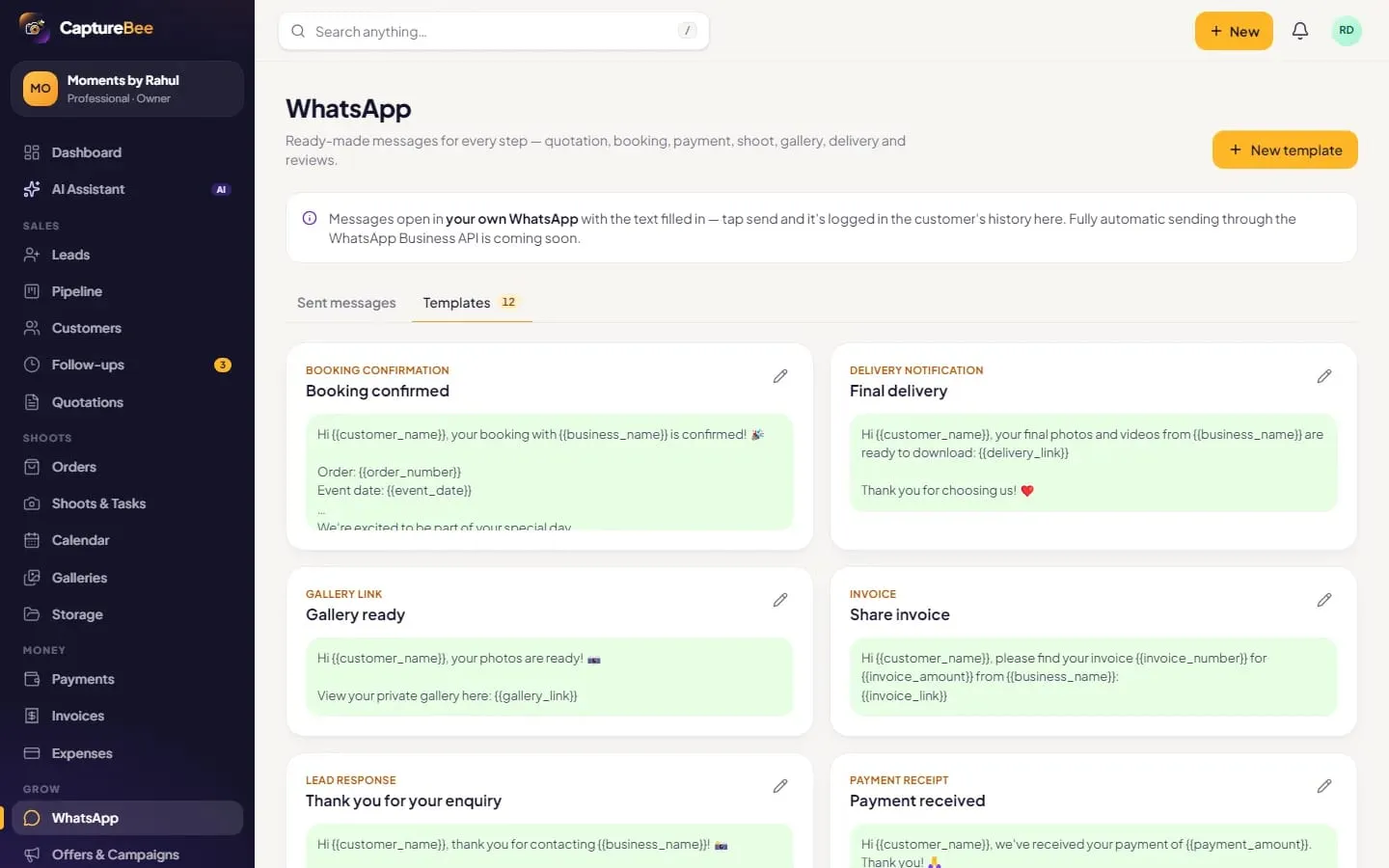
CaptureBee includes ready messages for the whole journey — enquiry reply, quotation, booking confirmation, payment reminder, gallery ready, selection reminder, final delivery and review request — filled in with the client’s name, date and links.
Press Message and the right template opens in your own WhatsApp, ready to send, and is logged in the client’s history. Six automation rules are on from day one, creating follow-up tasks, notifying your team and requesting reviews. Fully automatic sending through the WhatsApp Business API is coming soon.
Capabilities
WhatsApp & Automations in CaptureBee
12 ready templates
Every step from enquiry to review request.
Variables
{{customer_name}}, {{event_date}}, {{gallery_link}} and more.
Click to send
Opens in your own WhatsApp, logged automatically.
Six automation rules
Quotation, quiet lead, balance due, selection, review, shoot reminder.
Offer campaigns
To past clients, by event type, inactive or lost leads.
Email sent for you
Email messages and campaigns go out automatically.
How it works
Step by step
- 1
Press Message
On a lead, order, quotation or gallery.
- 2
Check the text
Already filled in.
- 3
Send
From your own WhatsApp.
- 4
Automations remind you
When a follow-up is due.
Benefits
Why it matters
Hours saved
No more typing the same messages.
Your number
Clients see your familiar WhatsApp.
Nothing forgotten
Rules create the follow-ups for you.
Repeat business
Seasonal offers to past clients.
FAQ
Frequently Asked Questions
Do I need the WhatsApp Business API?
No. CaptureBee opens your own WhatsApp with the message ready. API sending is coming soon.
Can automations message clients by themselves?
Automations create tasks, notify your team, email clients or request reviews. WhatsApp messages are sent by you in one tap.
Run your photography business from one app
Start the 14-day free trial — add your packages and send your first quotation today.