CaptureBee · Storage & Delivery
Cloud Storage and Final Photo Delivery
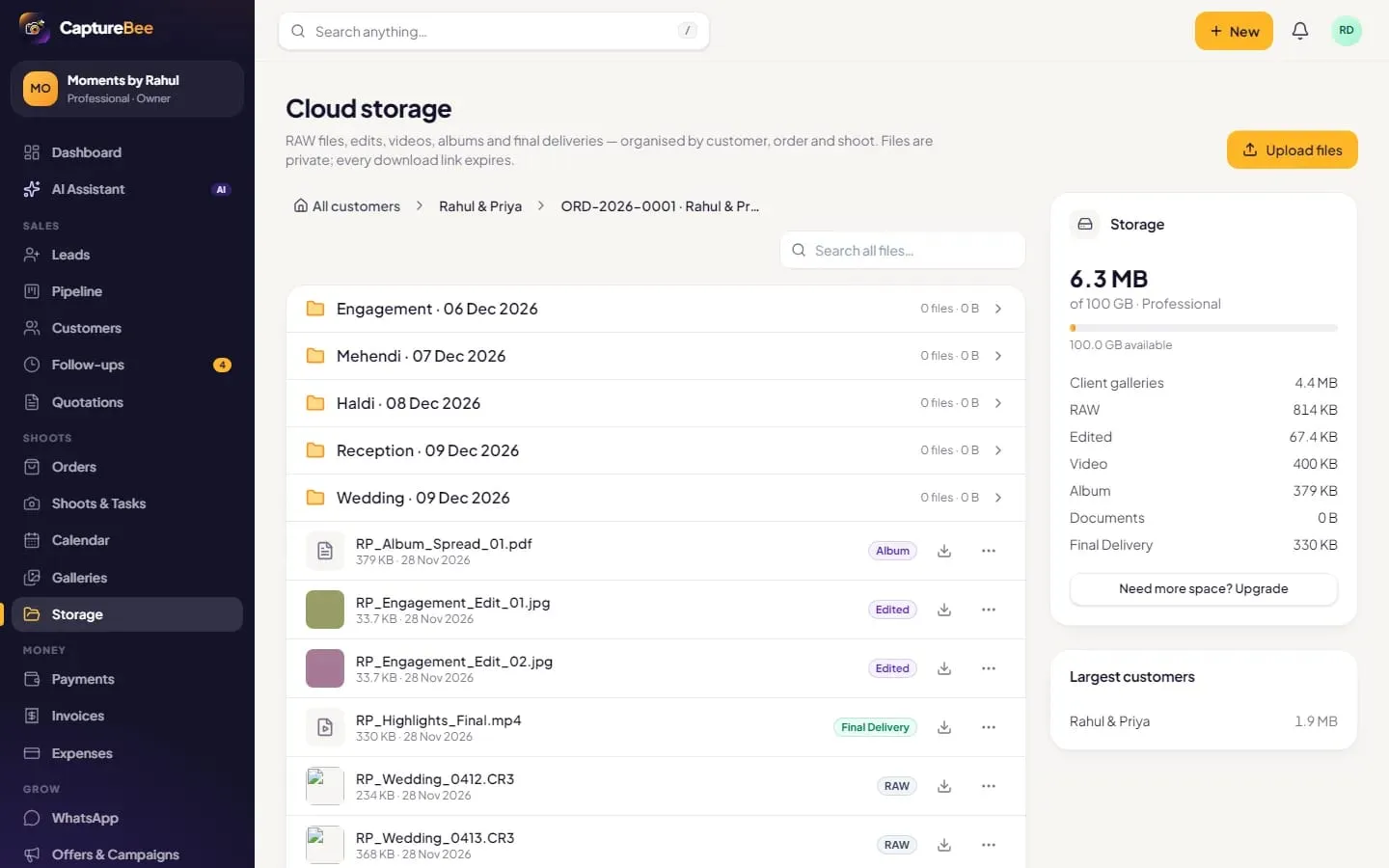
Files are filed under the customer, then the order, then the shoot. Choose a folder type when you upload — RAW, Edited, Video, Album, Documents or Final Delivery — and large files upload in small chunks, so a dropped connection doesn’t mean starting again.
When the work is done, create a final delivery with a message. Your client gets one link to download all final photos and videos, individually or as a zip, and you can see when it was opened and downloaded.
Capabilities
Storage & Delivery in CaptureBee
Organised automatically
Customer → order → shoot folders.
Folder types
RAW, Edited, Video, Album, Documents, Final Delivery.
Resumable uploads
Big files go up in chunks.
Private by default
Every view and download uses an expiring link.
One delivery link
All final photos and videos, or a zip.
Delivery tracking
Opens and downloads counted.
How it works
Step by step
- 1
Upload
Into the right order and shoot.
- 2
Edit
Keep edits and albums alongside RAWs.
- 3
Create delivery
With a title and a message.
- 4
Send
One link on WhatsApp.
Benefits
Why it matters
Find any file
No more random drive folders.
Secure
Forwarded links don’t work forever.
Professional handover
One clean link for the client.
Storage insight
See which customers use the most space.
FAQ
Frequently Asked Questions
How much storage do I get?
It depends on your plan — see capturebee.7crm.in/pricing.
Can I deliver videos?
Yes. Videos in the Final Delivery folder are included in the delivery link for download.
Run your photography business from one app
Start the 14-day free trial — add your packages and send your first quotation today.