CaptureBee · Analytics & AI
Business Analytics and an AI Assistant for Photographers
The dashboard shows what matters today — follow-ups due, overdue payments, upcoming shoots — and analytics shows revenue, profit, lead conversion, average order value, pending payments and which lead sources actually book.
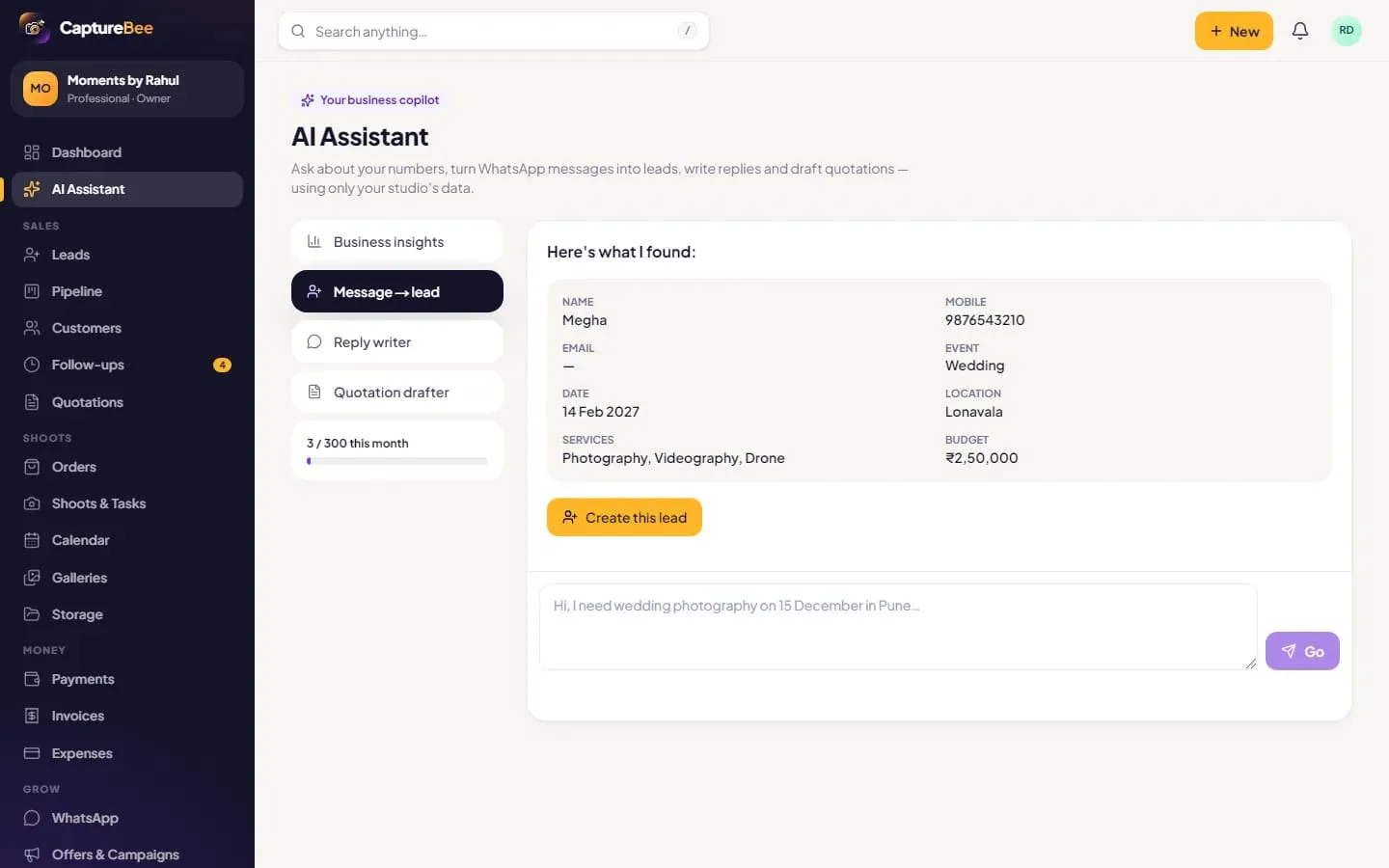
The AI assistant works only with your studio’s data and never sends anything by itself. It turns a pasted WhatsApp or Instagram message into a lead, drafts replies, follow-ups and quotations, and answers questions like “Who still owes us money?”.
Capabilities
Analytics & AI in CaptureBee
Today at a glance
Follow-ups, overdue payments and upcoming shoots.
Revenue & profit
Over 3, 6 or 12 months, with expenses.
Lead sources
Which sources actually turn into bookings.
Message → lead
Details picked out of a pasted message.
Reply & quote drafts
Suggestions you review before sending.
Business Q&A
Answers from your own numbers.
How it works
Step by step
- 1
Work as usual
Leads, orders and payments feed the reports.
- 2
Check the dashboard
Every morning.
- 3
Ask the assistant
For a lead, a draft or an answer.
- 4
Decide
Nothing is sent without you.
Benefits
Why it matters
Know your numbers
Profit, not just revenue.
Spend smarter
Market where bookings come from.
Less typing
Drafts in seconds.
Private
The AI uses only your studio’s data.
FAQ
Frequently Asked Questions
Does the AI reply to my clients automatically?
No. It drafts suggestions you review; you send messages yourself.
Is there a limit on AI requests?
Yes, a monthly allowance depending on your plan — see capturebee.7crm.in/pricing.
Run your photography business from one app
Start the 14-day free trial — add your packages and send your first quotation today.