BrokerBee · Site Visit Management
Property Site Visit Scheduling and Calendar
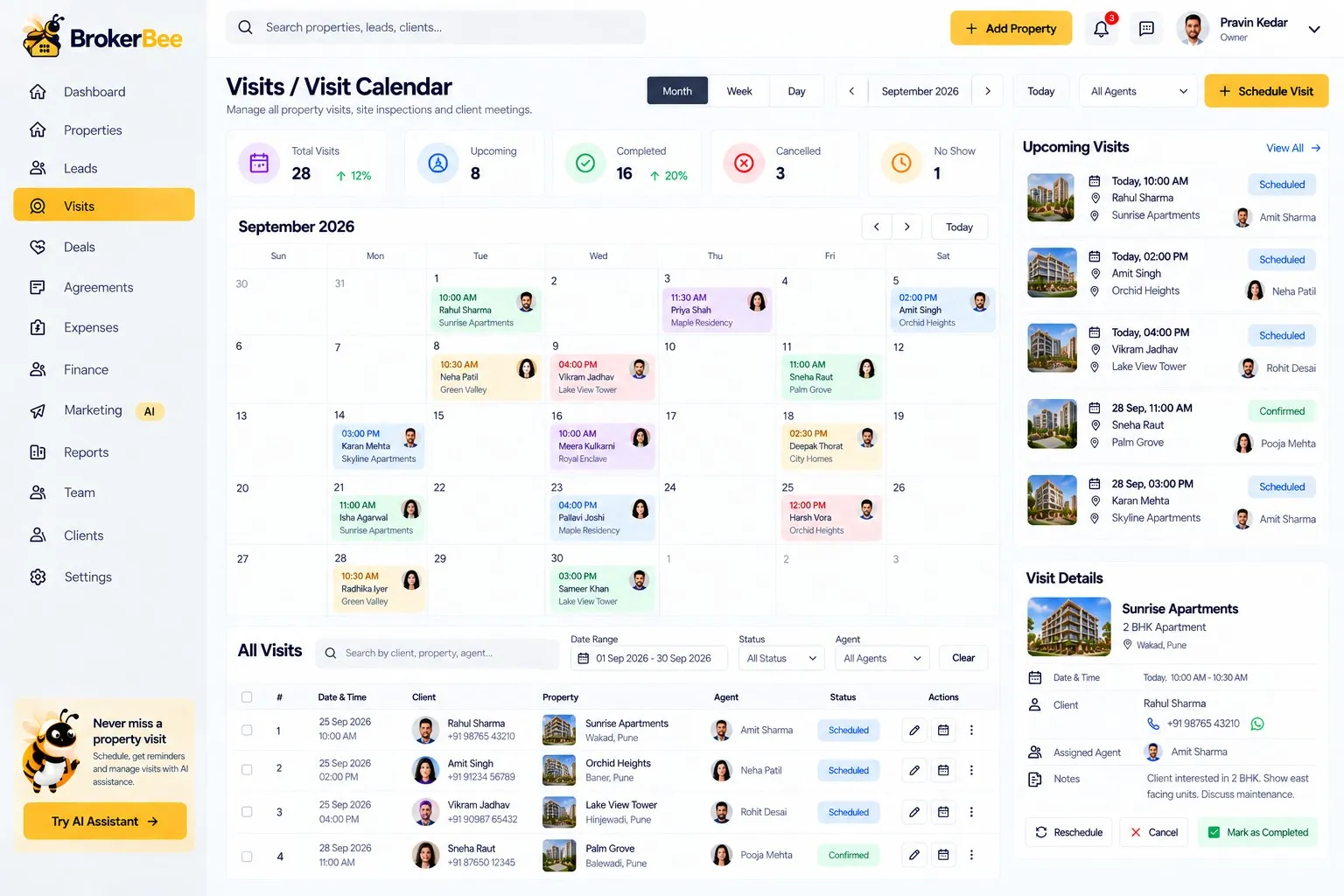
Site visits are where deals are won — and where coordination breaks down. BrokerBee lets clients request a visit with a preferred date and time, and lets you assign an agent with property access details in one step.
Every visit has a status — requested, confirmed, assigned, rescheduled, on the way, visited, cancelled or no-show — and the whole team works from one calendar.
BrokerBee is in development. This page describes the product we are building; features and timelines may change before launch.
Capabilities
Site Visit Management in BrokerBee
Visit requests
Clients request visits from property pages with preferred date and time.
Agent assignment
Assign agent, date, time, property and key/access information.
Visit statuses
Requested, confirmed, rescheduled, on the way, visited, cancelled, no-show.
Calendar views
Daily, weekly and monthly views of every visit.
Notifications
Alerts for new, confirmed, rescheduled and cancelled visits.
Automatic follow-up
A completed visit schedules the next follow-up.
How it works
Step by step
- 1
Request
A client asks to visit a property.
- 2
Assign
Pick the agent and confirm the slot.
- 3
Visit
Agent updates status on the way and after the visit.
- 4
Follow up
A follow-up is scheduled automatically.
Benefits
Why it matters
No clashes
One calendar for every agent and property.
Fewer no-shows
Confirmed slots and clear communication.
Accountability
Know who visited what, and when.
Momentum
Every visit leads to a timely follow-up.
FAQ
Frequently Asked Questions
Can clients book visits themselves?
Clients request a visit from the property page; you confirm and assign it.
Can I share key or access details with the agent?
Yes. Access information is added when the visit is assigned.
Is there a calendar view?
Yes — daily, weekly and monthly.
Ready to grow your real estate business?
Join the BrokerBee early-access list and help shape the product.