SchoolBee · Attendance
Student Attendance Management Software
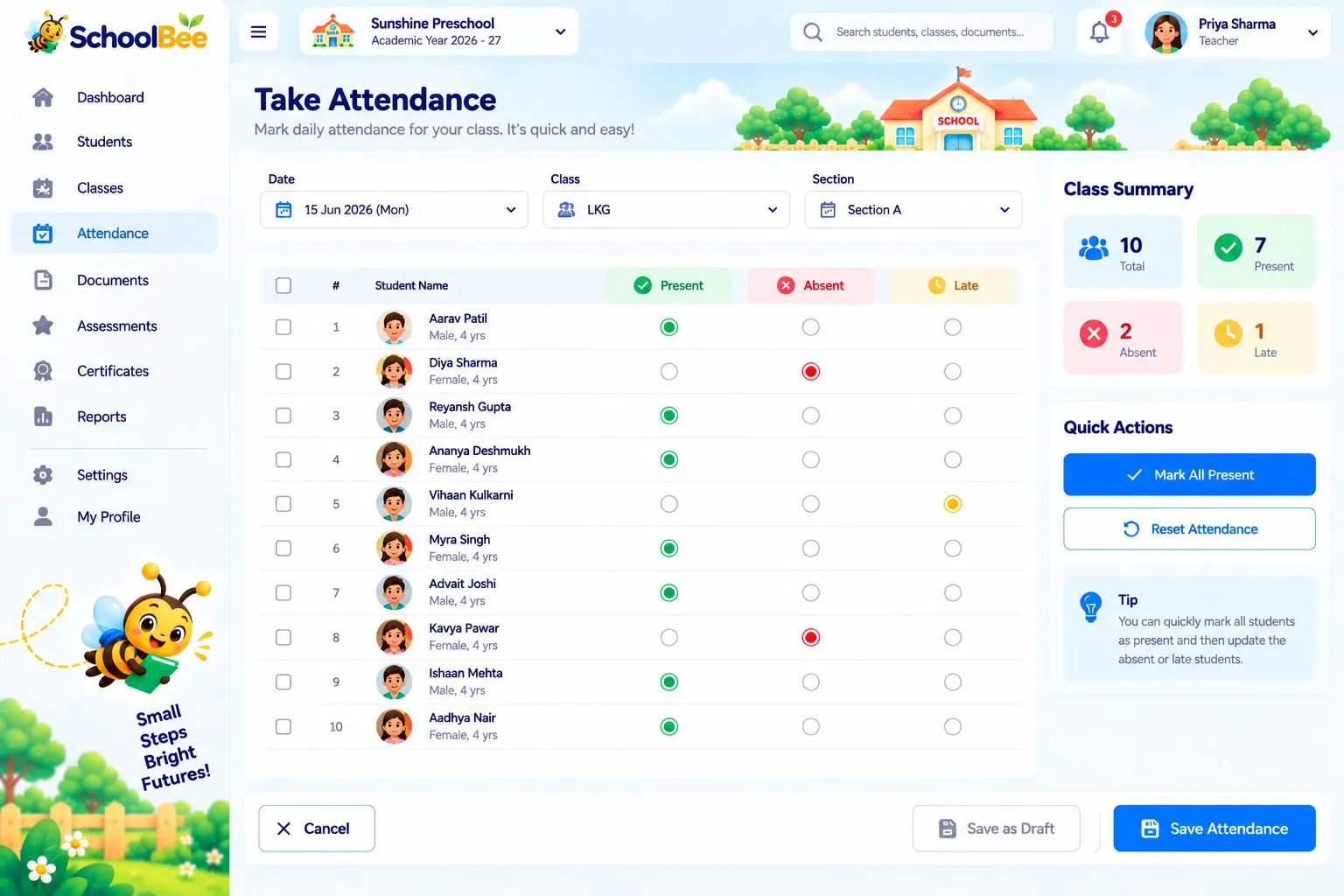
Paper registers are slow to fill and slower to analyse. In SchoolBee a teacher opens their class, marks each child present, absent or late and saves the register — on a phone, tablet or computer.
The office sees today’s attendance across the school immediately, and monthly registers, percentages and absentee lists are generated automatically instead of being counted by hand.
Capabilities
Attendance in SchoolBee
Quick daily register
Mark each student present, absent or late and save the register for the day.
School-wide dashboard
See present, absent and not-marked counts for every class on one screen.
Attendance history
Look back at any day or month for a class or an individual student.
Monthly register
A day-by-day P/A/L register for the month, ready to view or print.
Frequent absentees
Spot students who are absent several days, including their longest run of absence.
Missed registers
See school days where a class register wasn’t saved, so nothing slips.
How it works
Step by step
- 1
Open your class
Teachers see only the sections assigned to them.
- 2
Mark attendance
Mark everyone present in one tap, then change the few who are absent or late.
- 3
Save the register
The record is stored instantly and appears on the dashboard.
- 4
Review reports
Daily summaries, monthly registers and percentage reports update automatically.
Benefits
Why it matters
Saves teacher time
A full class register takes well under a minute.
Early warnings
Repeated absences are visible before they become a problem.
Accurate records
No more totals worked out by hand at month end.
Shared with parents
Attendance feeds into the progress reports parents see.
FAQ
Frequently Asked Questions
Can teachers take attendance on a phone?
Yes. SchoolBee works in the browser on mobile, tablet and desktop.
Which attendance statuses are supported?
Present, absent and late. Reports show daily summaries, monthly registers, attendance percentages and frequent absentees.
Will I know if a class register was missed?
Yes. The Registers not taken report lists days when a class’s attendance wasn’t saved.
Make school management simple
Start your free 30-day trial — all features included.