SchoolBee · Certificates
School Certificate Generator
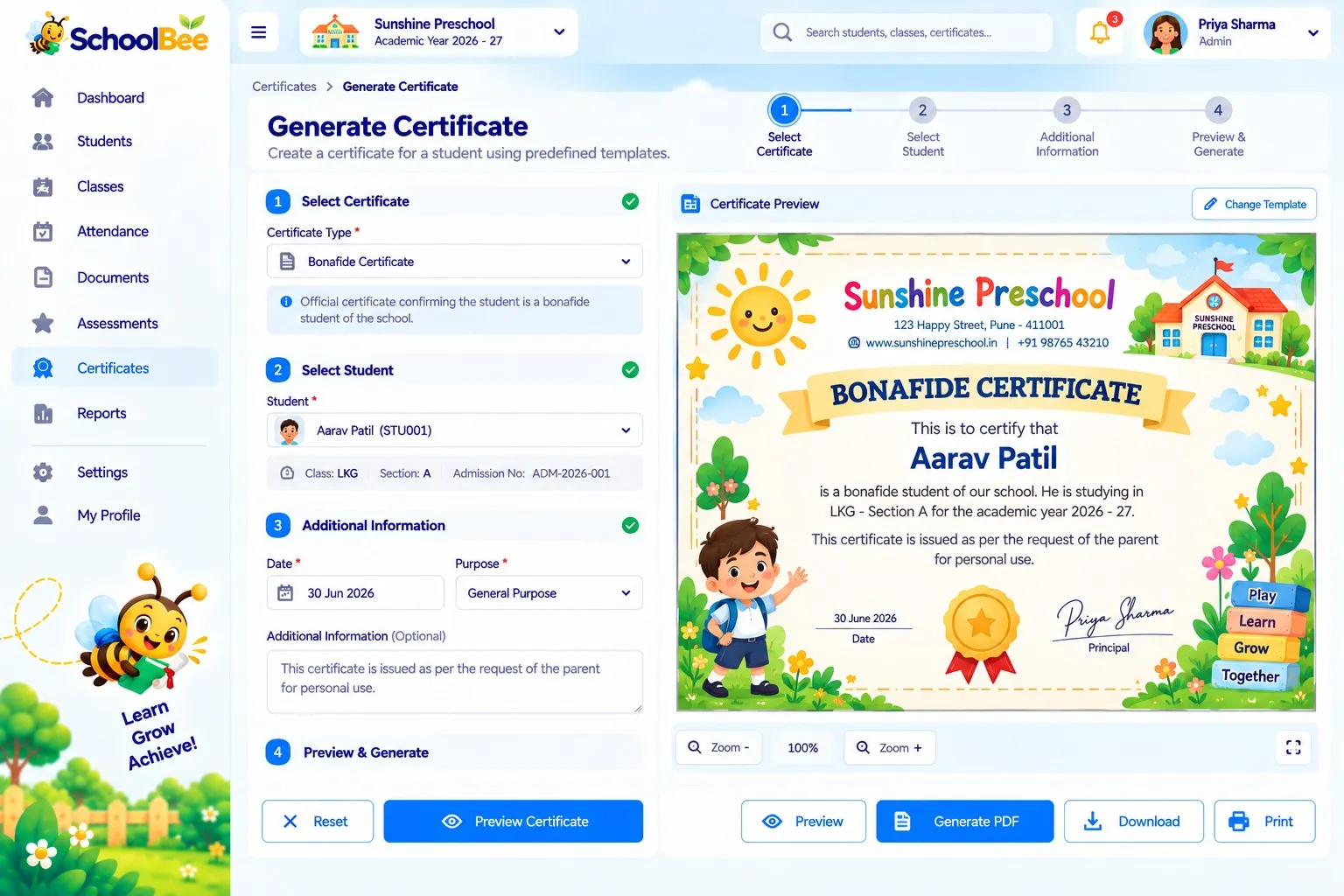
Writing certificates by hand is slow and error-prone. SchoolBee generates them from the data you already have: pick the certificate type, choose a student (or a whole section), check the preview and generate.
Your school’s logo appears on certificates and reports, and every certificate issued is recorded in a register with its serial number — so you can always show what was issued, and to whom.
Capabilities
Certificates in SchoolBee
Certificate types
Transfer, character, participation, achievement and other certificate templates.
Generated from records
Names, classes and dates are filled in from the student profile.
Preview before issue
Check the certificate before generating it.
Bulk generation
Generate certificates for a whole section and track progress.
School branding
Your school logo appears on certificates and reports.
Certificates register
Every certificate issued, with serial number and student.
How it works
Step by step
- 1
Choose a type
Select the certificate you need.
- 2
Select students
One student or an entire section.
- 3
Preview
Confirm details and the issue date.
- 4
Generate
Download and print; the register updates automatically.
Benefits
Why it matters
Minutes, not hours
Bulk certificates for events are ready in one go.
No spelling mistakes
Details come straight from the student record.
Professional look
Branded, consistent templates.
Traceable
Serial-numbered register of everything issued.
FAQ
Frequently Asked Questions
Which certificates can SchoolBee generate?
Transfer, character, participation and achievement certificates, among others available as templates.
Can I generate certificates for a whole class?
Yes. Bulk generation works for a whole section, with a progress indicator.
Can SchoolBee make student ID cards?
ID cards are made with our sister product PaperBee, which turns an Excel list into printable ID cards and also offers a visual editor for custom certificate designs.
Make school management simple
Start your free 30-day trial — all features included.