SchoolBee · Preschool Progress Reports
Preschool Progress Reports with Star Ratings & AI Insights
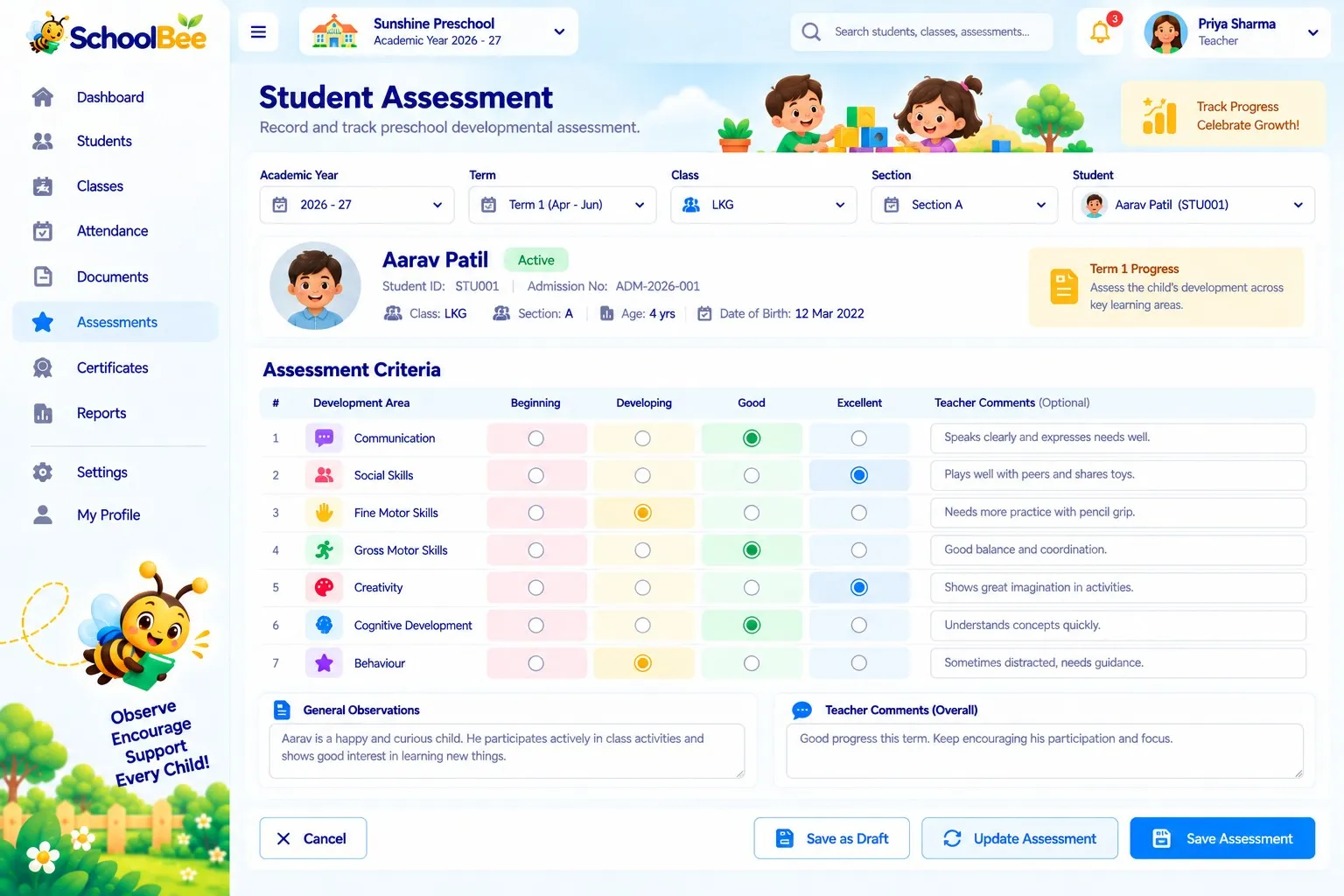
Young children aren’t measured with marks. SchoolBee lets preschool teachers record what children actually do — colouring, rhymes, sharing, motor skills — and rate simple criteria from one to five stars, with a short note only when it’s useful.
At the end of a period, SchoolBee builds a progress report from those ratings, notes and attendance. Teachers add remarks, publish it to parents, and — on plans with AI Assistance — generate an age-aware analysis that highlights strengths, growth areas and activities to try at home.
Capabilities
Preschool Progress Reports in SchoolBee
Activities
Record class activities with a date, type and details, then rate the children who took part.
Star-rated criteria
Define criteria such as “Says please and thank you” and rate each child from 1 to 5 stars.
Quick fill
Rate a whole class quickly and adjust only the children who differ.
Progress reports
Draft, review and publish period reports with teacher remarks for parents.
AI analysis on demand
Generate a summary of strengths, growth areas, action items and home activities for a report.
Withdraw and correct
Withdraw a published report with a reason if ratings were entered wrongly.
How it works
Step by step
- 1
Set criteria
Choose what you want to observe for each class.
- 2
Log activities
Teachers record activities and give each child stars.
- 3
Build the report
SchoolBee gathers ratings, notes and attendance for the period.
- 4
Publish to parents
Add remarks and publish to the parent portal.
Benefits
Why it matters
Made for early years
Observation and stars, not marks and exams.
Light work for teachers
A few taps per activity instead of long written reports.
Parents stay involved
Reports explain progress and suggest things to practise at home.
AI that stays grounded
Analysis is created only when you ask, from the report’s actual data.
FAQ
Frequently Asked Questions
How does the AI analysis work?
When a teacher or owner asks for it, SchoolBee analyses that report’s ratings, notes and attendance and returns strengths, growth areas, action items and home activities. It is generated on demand and cached, not run automatically.
Which plans include AI Assistance?
AI Assistance is part of the Premium plan and is available during the free trial.
Can parents see progress reports?
Yes. Published reports appear in the SchoolBee parent portal.
Make school management simple
Start your free 30-day trial — all features included.